
In this article, I’m going to show you the authoritative ways to get row counts in SQL Server—ranging from the slow-but-accurate to the lightning-fast methods.
SQL Get Number Of Rows In Table
Method 1: The Standard COUNT(*) (Best for Small Tables)
Let’s start with the basics. If you are working with a configuration table or a small lookup table (under 100,000 rows), the standard aggregate function is perfectly fine.
SQL
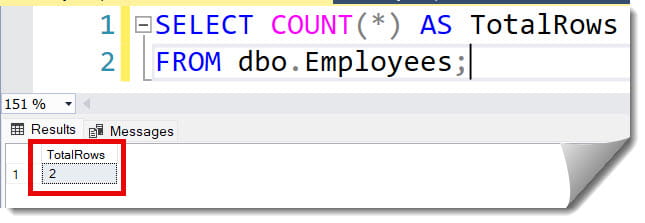
SELECT COUNT(*) AS TotalRows
FROM dbo.EmployeeInternalDirectory;
After executing the query above, I received the expected output, as shown in the screenshot below.
Pro Tip: COUNT(*) vs. COUNT(1) vs. COUNT(Column)
COUNT(*)andCOUNT(1): In modern versions of SQL Server, the optimizer treats these identically. There is zero performance difference.COUNT(ColumnName): This is different! This only counts rows where the specified column is NOT NULL. Avoid this if you just want a total row count, as it adds unnecessary logic to the scan.
Method 2: The High-Performance Metadata Approach (Best for Large Tables)
When you need a row count for a table with millions of rows and you can’t afford to wait for a scan, you should look at the System Catalog Views.
SQL Server maintains internal statistics about every table to help the Query Optimizer. We can tap into these statistics to get a row count in milliseconds, regardless of table size.
The Tutorial: Querying sys.partitions
SQL
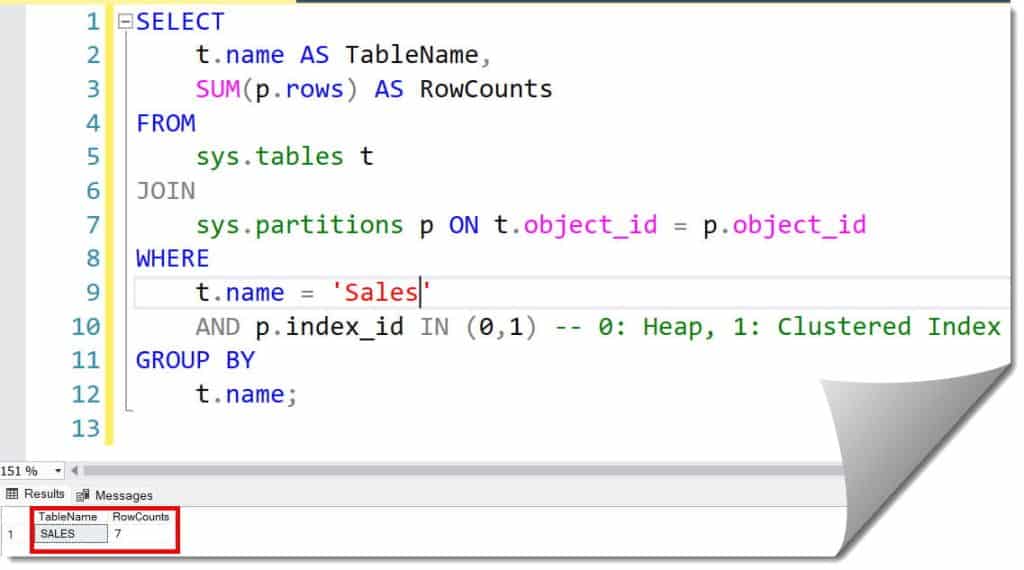
SELECT
    t.name AS TableName,
    SUM(p.rows) AS RowCounts
FROM
    sys.tables t
JOIN
    sys.partitions p ON t.object_id = p.object_id
WHERE
    t.name = 'OrderHistory'
    AND p.index_id IN (0,1) -- 0: Heap, 1: Clustered Index
GROUP BY
    t.name;
After executing the query above, I received the expected output, as shown in the screenshot below.
Why this works:
Every table in SQL Server has at least one partition (even if you haven’t explicitly set up partitioning). The sys.partitions view tracks the row count for each partition. By summing these up, you get a highly accurate count without touching the actual data pages.
Method 3: Using sys.dm_db_partition_stats (The Most Reliable Meta-Method)
While sys.partitions is great, I prefer using Dynamic Management Views (DMVs) for absolute reliability. sys.dm_db_partition_stats is specifically designed to provide page and row count information.
The Tutorial: DMV Row Counting
SQL
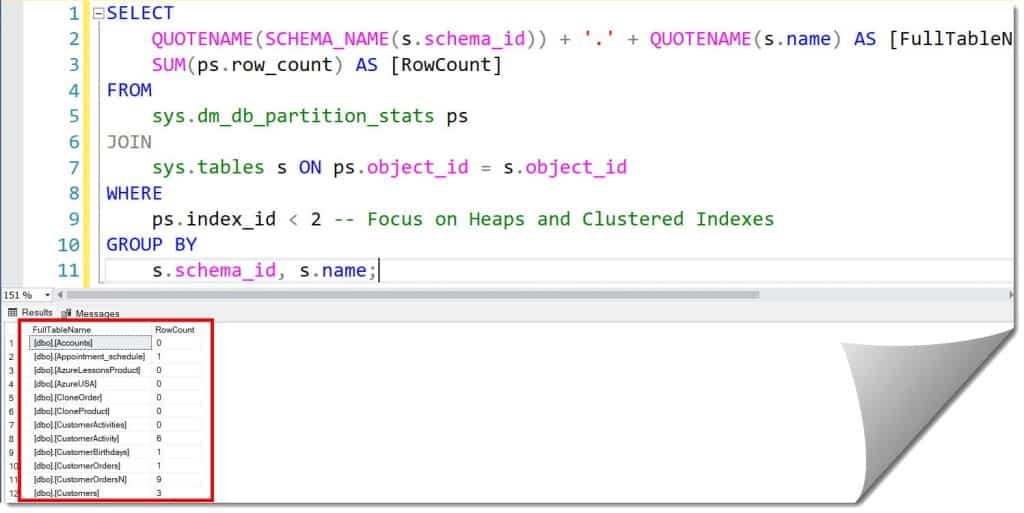
SELECT
    QUOTENAME(SCHEMA_NAME(s.schema_id)) + '.' + QUOTENAME(s.name) AS [FullTableName],
    SUM(ps.row_count) AS [RowCount]
FROM
    sys.dm_db_partition_stats ps
JOIN
    sys.tables s ON ps.object_id = s.object_id
WHERE
    ps.index_id < 2 -- Focus on Heaps and Clustered Indexes
GROUP BY
    s.schema_id, s.name;
After executing the query above, I received the expected output, as shown in the screenshot below.
Key Benefit: This method is significantly faster than a scan and is updated more frequently than the legacy sysindexes table used in older versions of SQL.
Method 4: The “All Tables at Once” Audit
As a Project Manager or Lead DBA, you often need to see the “Big Picture” of your database. Perhaps you’re planning a migration to Azure SQL and need to know which tables are the largest.
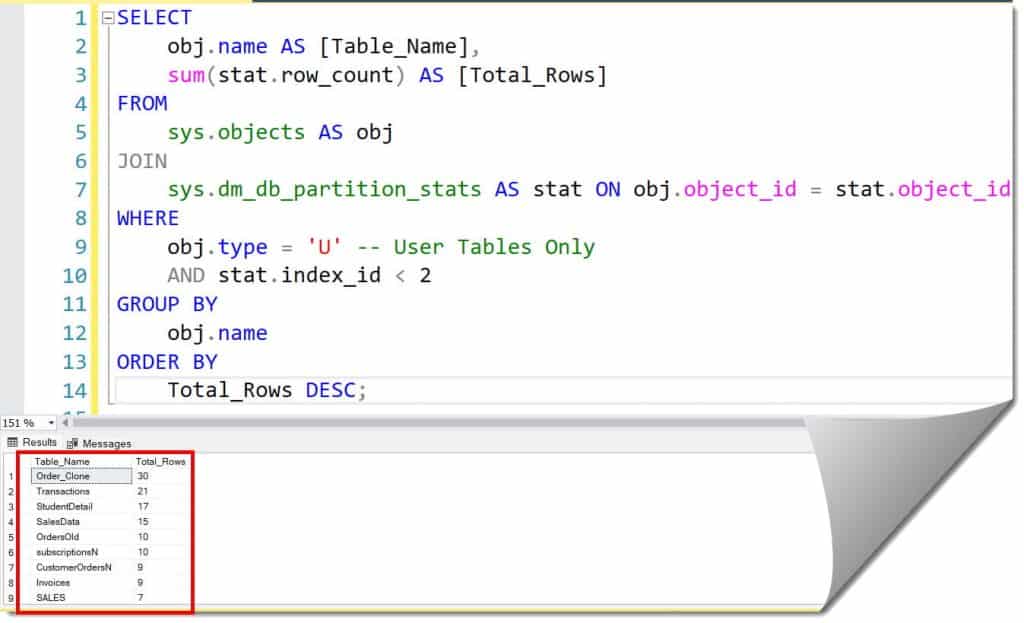
I use this script to generate a complete report of every table in a database, sorted by the number of rows.
| Table Name | Row Count | Type |
Sales.InvoiceLines | 142,500,230 | Clustered |
Log.ApplicationEvents | 88,421,000 | Heap |
Cmn.UserProfiles | 1,200,500 | Clustered |
The Tutorial: Full Database Inventory
SQL
SELECT
    obj.name AS [Table_Name],
    sum(stat.row_count) AS [Total_Rows]
FROM
    sys.objects AS obj
JOIN
    sys.dm_db_partition_stats AS stat ON obj.object_id = stat.object_id
WHERE
    obj.type = 'U' -- User Tables Only
    AND stat.index_id < 2
GROUP BY
    obj.name
ORDER BY
    Total_Rows DESC;
After executing the query above, I received the expected output, as shown in the screenshot below.
Accurate vs. Estimated: When to Use Which?
We often distinguish between “Reporting Accuracy” and “Transactional Accuracy.”
- Transactional Accuracy (
COUNT(*)): Use this when you are running a financial reconciliation or a report where every single row must be accounted for at that exact microsecond. - Reporting Accuracy (Metadata): Use this for health checks, dashboarding, and administrative tasks.
Important Note: Row counts in metadata are generally very accurate, but they are not updated under the “Snapshot” isolation level in the same way. In extremely high-concurrency environments with thousands of deletes/inserts per second, there might be a negligible variance (less than 0.1%) between metadata and a live scan.
Row Counts in Schema and Object Explorer
If you aren’t a fan of writing T-SQL every time, SQL Server Management Studio (SSMS) provides built-in ways to see this data.
1. Object Explorer Details
- Open SSMS and navigate to your database.
- Click on the Tables folder.
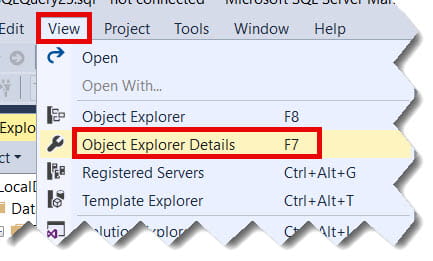
- Press F7 (or go to View > Object Explorer Details).
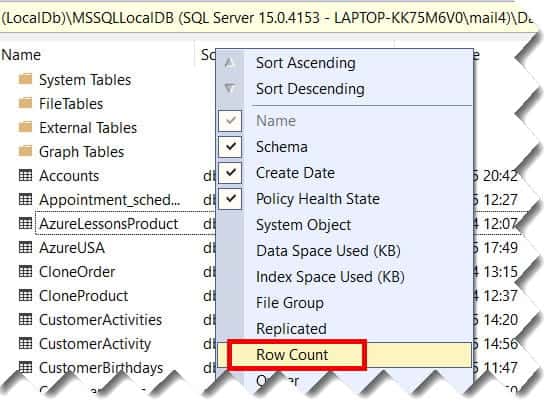
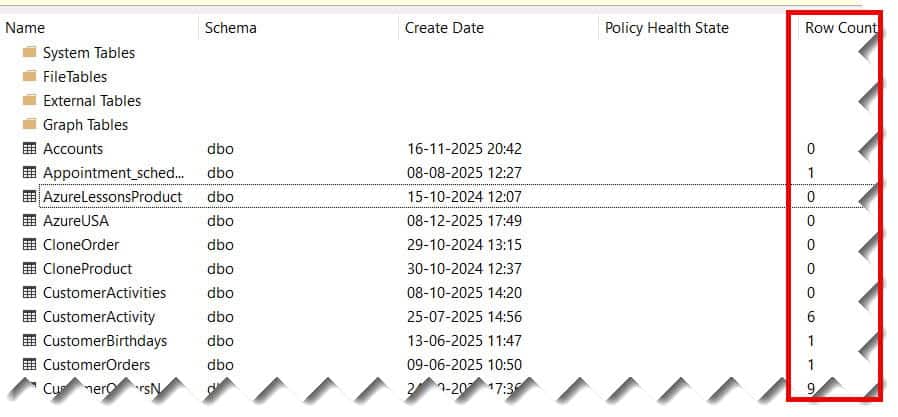
- Right-click the column headers and check Row Count. Check out the screenshot below for your reference.
2. Standard Reports
- Right-click your Database in Object Explorer.
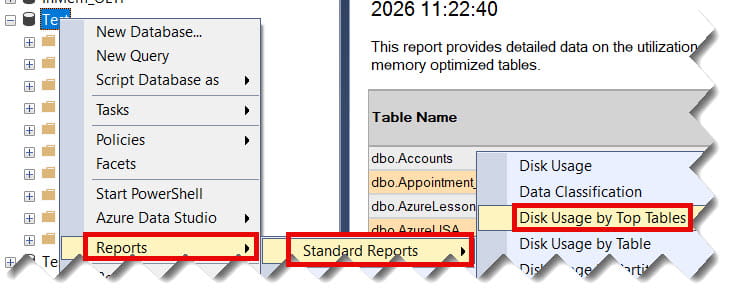
- Select Reports > Standard Reports > Disk Usage by Top Tables.
- This generates a professional PDF-style report showing row counts, reserved space, and data vs. index usage. Check out the screenshot below for your reference.
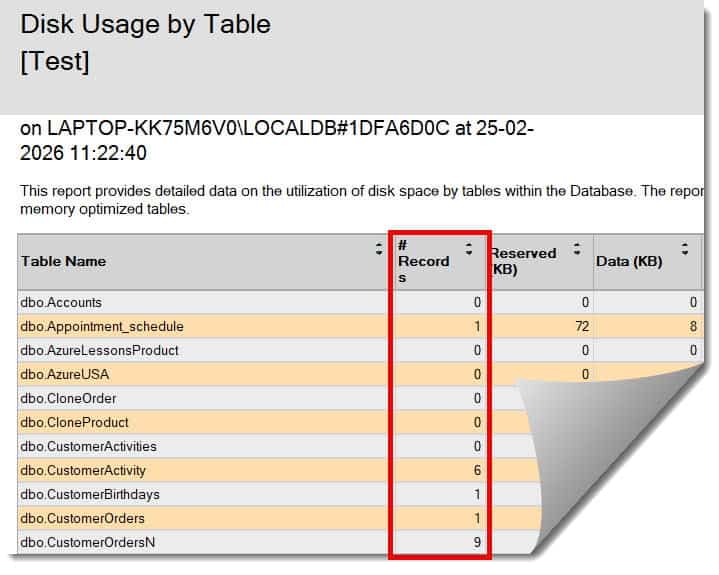
Best Practices for Row Counting
1. Never use COUNT(*) in an Application Loop
If your application code (C#, Python, Java) needs to check if a table has data before proceeding, do not use SELECT COUNT(*). Instead, use IF EXISTS.
- Bad:
IF (SELECT COUNT(*) FROM Orders) > 0 - Good:
IF EXISTS (SELECT 1 FROM Orders)
The EXISTS operator stops as soon as it finds one row. It doesn’t care if there are a billion more.
2. Respect the Isolation Levels
If you absolutely must use COUNT(*) on a large production table, use the NOLOCK hint to avoid blocking writers.
SQL
SELECT COUNT(*) FROM LargeTable WITH (NOLOCK);Note: This can result in “Dirty Reads” (counting rows that are about to be rolled back), but for a general count, it’s a safe performance trade-off.
3. Keep Statistics Updated
Metadata row counts are only as good as the internal statistics. Ensure your database has AUTO_UPDATE_STATISTICS turned on.
Summary and Key Takeaways
Getting the row count in SQL Server is a task that scales in complexity with your data size.
- Small Tables: Use
SELECT COUNT(*). - Large Tables (Speed): Use
sys.partitionsorsys.dm_db_partition_stats. - Audit/Planning: Use a DMV-based script to list all table sizes.
- App Logic: Use
IF EXISTSinstead of counting.
By choosing the right method, you ensure that your SQL Server stays responsive, your memory stays clear, and your production environment remains stable.
You may also like the following articles:
- SQL Server Split String into Rows
- Pivot in SQL Server (Rows to Columns)
- How to Recover a Deleted Table in SQL Server Without Backup

After working for more than 15 years in the Software field, especially in Microsoft technologies, I have decided to share my expert knowledge of SQL Server. Check out all the SQL Server and related database tutorials I have shared here. Most of the readers are from countries like the United States of America, the United Kingdom, New Zealand, Australia, Canada, etc. I am also a Microsoft MVP. Check out more here.