
A payroll report can return the wrong employee even when its SQL runs without errors. Two employees share the highest salary, and a query that simply selects the third row reports the second-highest salary instead of the third distinct amount.
Understanding how to find 3rd highest salary in SQL Server starts with defining what “third highest” means. For compensation reporting, the usual requirement is the third distinct salary, including every employee who earns that amount.
The following examples show how to build that query, handle ties and missing values, return department-level results, and check performance without exposing unnecessary payroll data.
How to Find 3rd Highest Salary in SQL Server With DENSE_RANK
Use DENSE_RANK() to assign consecutive ranks to distinct salaries, then select rank 3:
WITH RankedSalaries AS
(
    SELECT
        Salary,
        DENSE_RANK() OVER (
            ORDER BY Salary DESC
        ) AS SalaryRank
    FROM dbo.Employees
    WHERE Salary IS NOT NULL
)
SELECT DISTINCT
    Salary AS ThirdHighestSalary
FROM RankedSalaries
WHERE SalaryRank = 3;
DENSE_RANK() is a window function: it calculates a value across related rows without combining those rows into one summary record. Equal salaries receive equal ranks, and the next distinct salary receives the next consecutive rank.
Here is what each part does:
WHERE Salary IS NOT NULLexcludes unknown salaries.ORDER BY Salary DESCranks higher salaries first.DENSE_RANK()preserves ties without leaving gaps.- The common table expression, or CTE, names the intermediate query
RankedSalaries. - The outer filter selects rank 3.
DISTINCTreturns the salary once, even when several employees earn it.
The leading semicolon safely terminates any preceding statement. A CTE applies only to the statement immediately following it; it does not create a permanent table.
These queries work in SQL Server, Azure SQL Database, and Azure SQL Managed Instance. No special Azure service tier is required for this ranking operation.
For more background, review window functions in SQL Server.
Pro Tip: I confirm whether the report needs the third distinct salary or the third employee before writing the query. That single question prevents most ranking mistakes.
Create Sample Data and Define the Expected Result
Run the setup in a development database, not an existing payroll database. It creates a new table and inserts fictional employees; it does not delete or overwrite existing records.
In SQL Server Management Studio, select your development database and open a query window. If needed, follow these steps to run a query in SSMS.
CREATE TABLE dbo.Employees
(
    EmployeeID   int NOT NULL
        CONSTRAINT PK_Employees PRIMARY KEY,
    EmployeeName nvarchar(100) NOT NULL,
    DepartmentID int NOT NULL,
    Salary       decimal(12, 2) NULL,
    CONSTRAINT CK_Employees_Salary
        CHECK (Salary >= 0)
);

INSERT INTO dbo.Employees
    (EmployeeID, EmployeeName, DepartmentID, Salary)
VALUES
    (1, N'Emma Carter',    10, 150000.00),
    (2, N'Noah Williams',  20, 150000.00),
    (3, N'Olivia Davis',   10, 130000.00),
    (4, N'Liam Johnson',  20, 120000.00),
    (5, N'Ava Martinez',  10, 120000.00),
    (6, N'James Wilson',  20, 110000.00),
    (7, N'Sophia Brown',  10,  95000.00),
    (8, N'Benjamin Lee',  20, NULL);
After executing the query above, I got the expected output, as shown in the screenshot below.
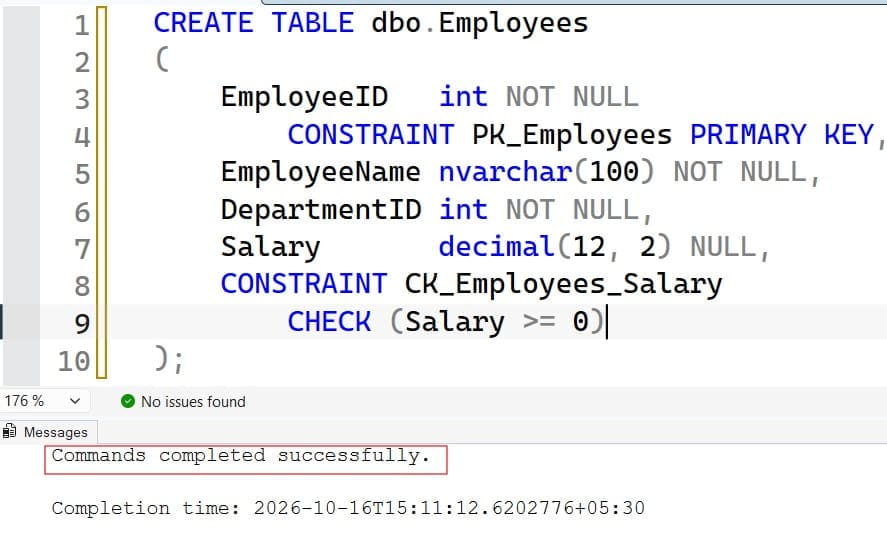
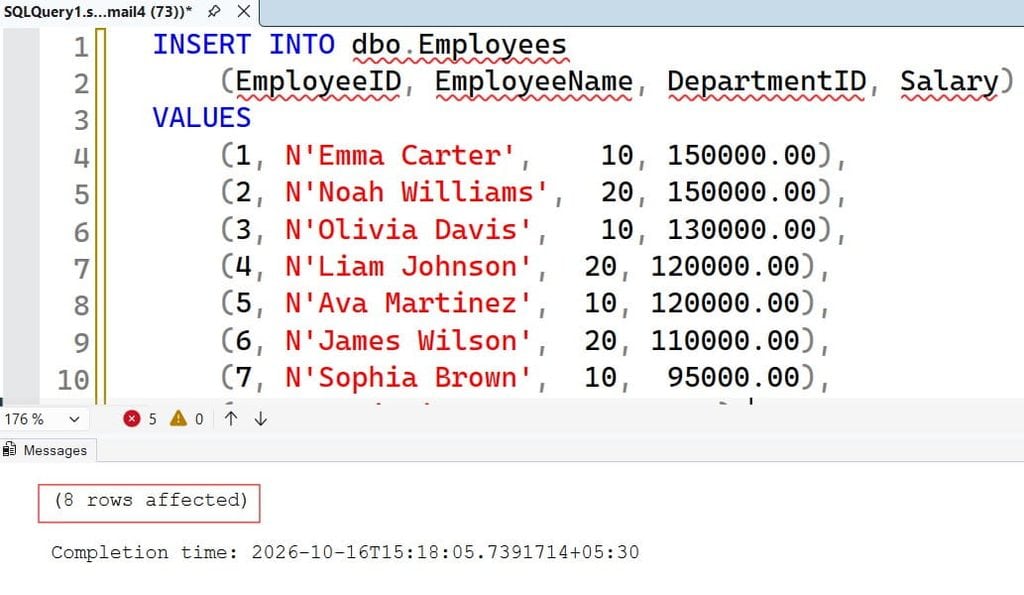
A schema is a namespace that groups database objects; this example uses dbo. The primary key uniquely identifies each employee. In a complete HR database, DepartmentID would normally reference a department table through a foreign key.
decimal(12, 2) stores exact numeric values with two decimal places. That is more appropriate for salary amounts than approximate types such as float.
The check constraint rejects negative salaries but permits NULL, meaning unknown or unavailable. It does not treat an unknown salary as zero.
The expected ranking is:
| Salary | Employees earning it | Dense rank |
|---|---|---|
| 150000.00 | 2 | 1 |
| 130000.00 | 1 | 2 |
| 120000.00 | 2 | 3 |
| 110000.00 | 1 | 4 |
| 95000.00 | 1 | 5 |
The third-highest distinct salary is 120000.00, earned by Liam and Ava.
For a real business report, also define the pay basis. Do not rank annual salaries against hourly rates, or compare different currencies without an agreed conversion rule.
Pro Tip: I deliberately include duplicate salaries and a missing salary in test data. A sample with only unique values hides the bugs that usually appear later.
Understand DENSE_RANK, RANK, and ROW_NUMBER
These functions answer different questions. They are not interchangeable just because each produces a number beside a row.
| Function | Treatment of ties | Appropriate requirement |
|---|---|---|
DENSE_RANK() | Same rank; no gaps afterward | Third distinct salary |
RANK() | Same rank; gaps afterward | Competition-style placement |
ROW_NUMBER() | Unique sequential number | Third employee in an ordered list |
With salaries 150000, 150000, 130000, 120000, DENSE_RANK() produces 1, 1, 2, 3. RANK() produces 1, 1, 3, 4, so filtering rank 3 returns 130000, not the third distinct salary.
To select the third employee instead, use a unique tie-breaker:
WITH OrderedEmployees AS
(
    SELECT
        EmployeeID,
        EmployeeName,
        Salary,
        ROW_NUMBER() OVER (
            ORDER BY Salary DESC, EmployeeID ASC
        ) AS RowNum
    FROM dbo.Employees
    WHERE Salary IS NOT NULL
)
SELECT
    EmployeeID,
    EmployeeName,
    Salary
FROM OrderedEmployees
WHERE RowNum = 3;
After executing the query above, I got the expected output, as shown in the screenshot below.
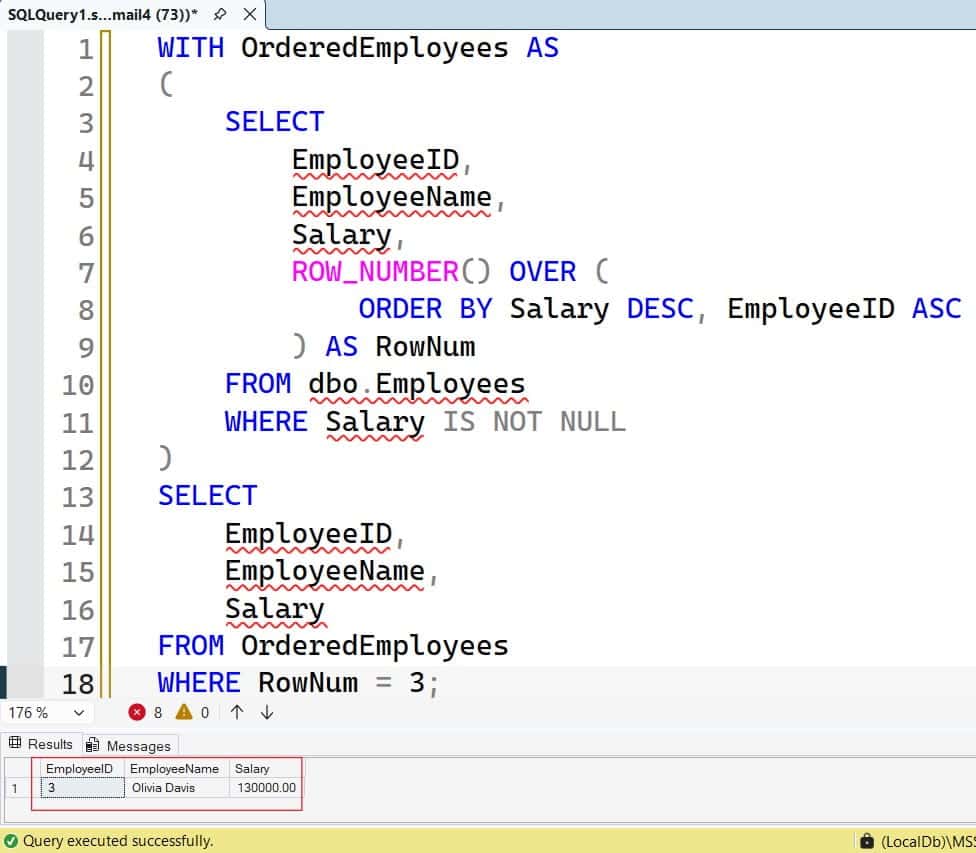
EmployeeID makes the ordering repeatable when employees share a salary. This query returns Olivia at 130000.00.
Do not add EmployeeID inside the salary-only DENSE_RANK() ordering. Doing so ranks the combination of salary and employee ID, breaking salary ties into separate ranks.
See the detailed comparison of RANK versus DENSE_RANK when choosing ranking behavior.
Pro Tip: I keep tie-breakers in the final display order unless the business requirement explicitly ranks individual employees rather than salary amounts.
Return Employee Details and Department-Level Results
A payroll review often needs employee details rather than a single amount. Keep the employee columns in the CTE and remove the outer DISTINCT:
WITH RankedEmployees AS
(
    SELECT
        EmployeeID,
        EmployeeName,
        DepartmentID,
        Salary,
        DENSE_RANK() OVER (
            ORDER BY Salary DESC
        ) AS SalaryRank
    FROM dbo.Employees
    WHERE Salary IS NOT NULL
)
SELECT
    EmployeeID,
    EmployeeName,
    DepartmentID,
    Salary
FROM RankedEmployees
WHERE SalaryRank = 3
ORDER BY EmployeeID;
After executing the query above, I got the expected output, as shown in the screenshot below.
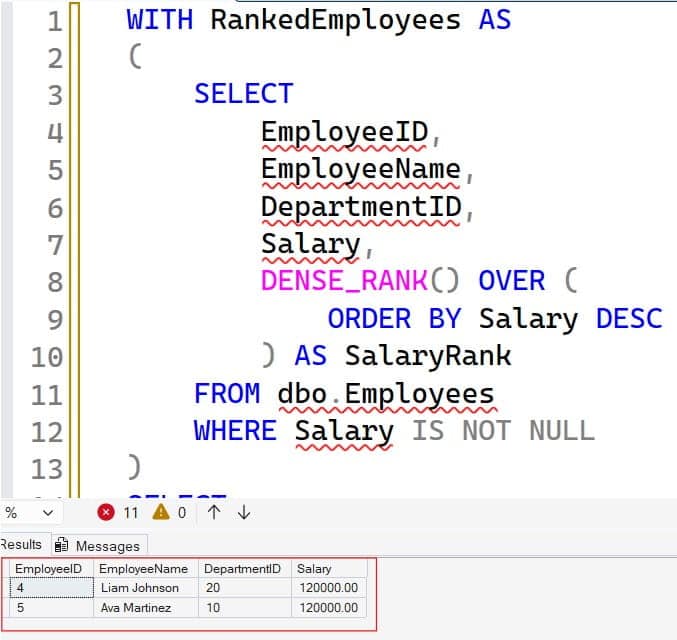
This returns Liam and Ava. The final ORDER BY controls presentation; ordering inside a window function does not guarantee the final result order.
For the third-highest salary within each department, add PARTITION BY. A partition is a group within which the window calculation restarts:
WITH DepartmentRanks AS
(
    SELECT
        EmployeeID,
        EmployeeName,
        DepartmentID,
        Salary,
        DENSE_RANK() OVER (
            PARTITION BY DepartmentID
            ORDER BY Salary DESC
        ) AS SalaryRank
    FROM dbo.Employees
    WHERE Salary IS NOT NULL
)
SELECT
    DepartmentID,
    EmployeeID,
    EmployeeName,
    Salary
FROM DepartmentRanks
WHERE SalaryRank = 3
ORDER BY DepartmentID, EmployeeID;
After executing the query above, I got the expected output, as shown in the screenshot below.
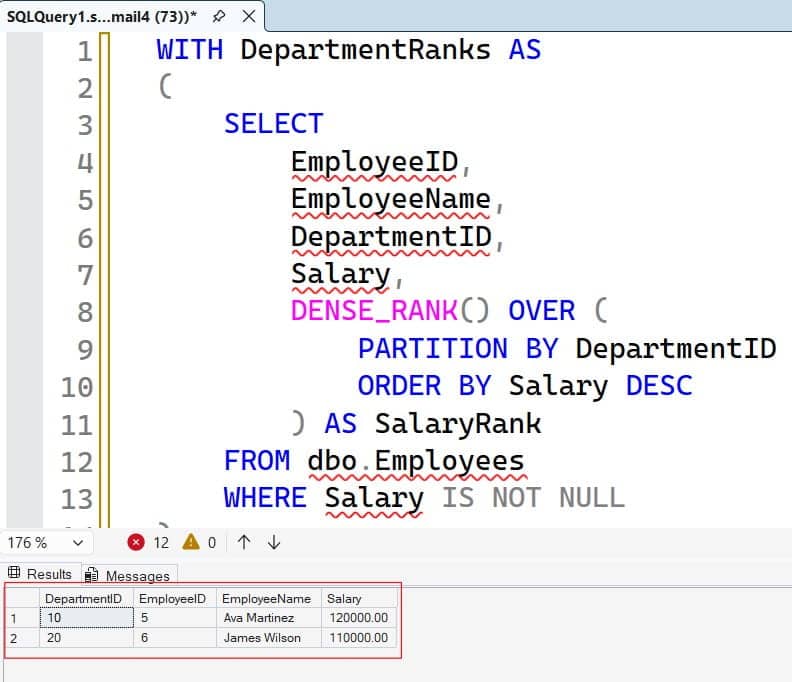
Department 10 returns Ava at 120000.00. Department 20 returns James at 110000.00.
Departments with fewer than three distinct non-null salaries return no rows. Learn more about SQL PARTITION BY before extending this pattern to business units or locations.
For a multi-tenant application, apply the authorized tenant filter before ranking. Partitioning by tenant organizes results; it does not enforce access control.
Pro Tip: I check where filters belong before reviewing performance. Filtering a department after company-wide ranking answers a different question from ranking within that department.
How to Find 3rd Highest Salary in SQL Server Without Ranking
When only the salary amount is needed, OFFSET ... FETCH provides a compact alternative:
SELECT DISTINCT
    Salary AS ThirdHighestSalary
FROM dbo.Employees
WHERE Salary IS NOT NULL
ORDER BY Salary DESC
OFFSET 2 ROWS
FETCH NEXT 1 ROWS ONLY;
After executing the query above, I got the expected output, as shown in the screenshot below.
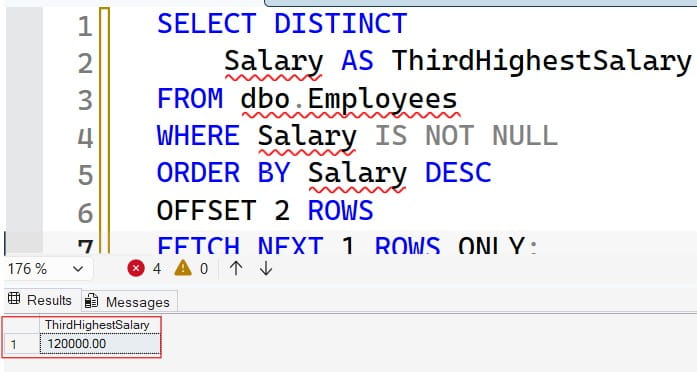
DISTINCT removes duplicate amounts, OFFSET 2 skips the two highest distinct salaries, and FETCH NEXT 1 returns the next amount.
This syntax requires SQL Server 2012 or later and is available in Azure SQL Database and Azure SQL Managed Instance. It returns no rows when a third distinct salary does not exist.
Another approach combines TOP, MIN, and a count check:
SELECT
    CASE
        WHEN COUNT(*) = 3 THEN MIN(Salary)
        ELSE NULL
    END AS ThirdHighestSalary
FROM
(
    SELECT DISTINCT TOP (3)
        Salary
    FROM dbo.Employees
    WHERE Salary IS NOT NULL
    ORDER BY Salary DESC
) AS TopSalaries;
After executing the query above, I got the expected output, as shown in the screenshot below.
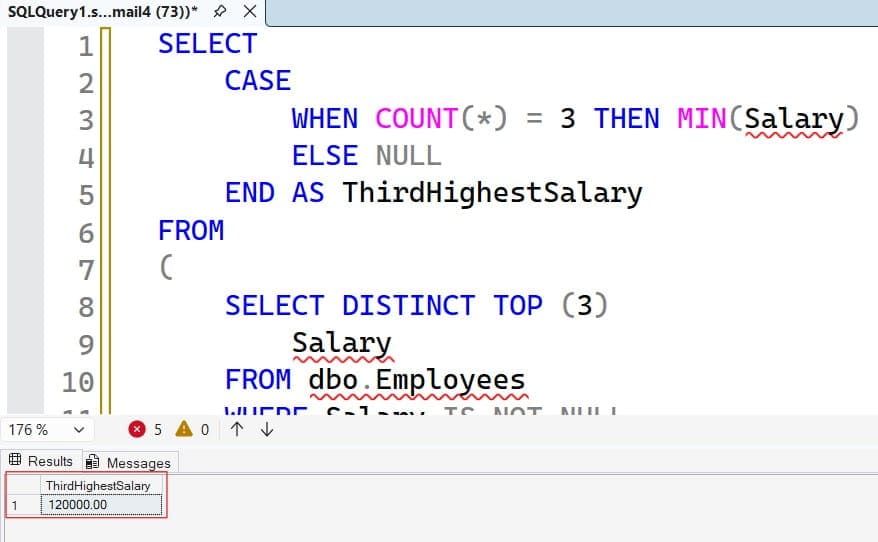
The inner query selects at most three distinct salaries. MIN then returns the lowest of those three.
The count check matters. Without it, a table containing only two distinct salaries would incorrectly return the second-highest salary.
Choose the result contract deliberately:
DENSE_RANK()andOFFSET ... FETCHnaturally return no rows when rank 3 is absent.- The guarded aggregate returns one row containing
NULL.
Neither alternative is automatically faster. Compare execution plans against representative data rather than choosing by query length.
Pro Tip: I use the guarded aggregate when an application expects exactly one result row, even when the requested salary does not exist.
Tune the Query Before Increasing Database Compute
Small HR tables may not need another index. Larger tables or frequently executed reports deserve measurement first.
An execution plan shows how SQL Server accesses and processes data. Enable the actual execution plan in SSMS, then measure a representative query:
SET STATISTICS IO ON;
SET STATISTICS TIME ON;

SELECT DISTINCT
    Salary
FROM dbo.Employees
WHERE Salary IS NOT NULL
ORDER BY Salary DESC
OFFSET 2 ROWS
FETCH NEXT 1 ROWS ONLY;

SET STATISTICS IO OFF;
SET STATISTICS TIME OFF;
STATISTICS IO reports page reads. STATISTICS TIME reports CPU and elapsed time. Compare repeated executions under similar conditions rather than treating one unusually quick run as proof.
For frequent salary-only lookups, test a nonclustered index, which is a separate ordered access structure:
CREATE NONCLUSTERED INDEX IX_Employees_Salary
ON dbo.Employees (Salary DESC)
WHERE Salary IS NOT NULL;
This filtered index excludes unknown salaries. Its ordering may help SQL Server avoid a separate sort, but an existing ascending index can also support a backward scan. Check existing indexes before adding another.
Warning: Creating an index consumes storage and resources and can block other work, depending on the operation and environment. Schedule production changes through your deployment process.
For department-level reports, an index beginning with (DepartmentID, Salary DESC) may fit better. Included columns can cover employee details, meaning the query can retrieve them from the index without additional table lookups. However, wider indexes require more storage and more work during writes.
Use SQL Server indexing best practices to evaluate that trade-off. Check statistics—metadata describing data distribution—when row estimates are inaccurate.
Query Store, when enabled, records query performance history and plans. Use it to detect regressions after deployments. On Azure SQL, tuning can reduce resource pressure, but it does not guarantee a lower bill unless the billing model or provisioned size also changes.
Pro Tip: I compare logical reads and write overhead before keeping a new index. A faster report is not a win if it significantly slows payroll imports.
Protect Salary Data and Test the Reporting Contract
Salary information is sensitive. An application that needs one ranked result should not automatically receive permission to browse the entire payroll table.
A stored procedure—a named database routine—can expose only the required output. Grant an existing reporting role permission to execute that procedure:
GRANT EXECUTE
ON OBJECT::dbo.GetThirdHighestSalary
TO PayrollReportingRole;
Run this only after creating the procedure and role. Review granting stored procedure execution permission for the setup.
With a conventional same-owner ownership chain, callers can execute an approved procedure without direct table access. Dynamic SQL and cross-database access need separate permission review.
Prefer Microsoft Entra authentication and managed identities for supported Azure applications. Where passwords remain necessary, keep them in Azure Key Vault rather than source code or shared files.
Require encrypted connections with certificate validation. Check the connection’s encryption status through approved administration tools; encryption alone does not prove that the client validated the server certificate. Prefer private endpoints for Azure access rather than opening broad public firewall ranges.
Test as a non-administrator, including unauthorized access attempts. Audit sensitive payroll access without copying salary results into general application logs.
Finally, test empty data, fewer than three salaries, ties at rank 3, and concurrent salary changes. Avoid NOLOCK: reading uncommitted data can produce an unreliable payroll result.
Pro Tip: I test permissions using the application identity, not my DBA account. Administrative access can hide missing grants and overly broad permissions alike.
Frequently Asked Questions
How do I find the third-highest salary without duplicates?
Use DENSE_RANK() ordered by salary descending and filter for rank 3. Add DISTINCT to the outer salary-only result so multiple employees earning that amount produce one row.
Why does ROW_NUMBER return the wrong third-highest salary?
ROW_NUMBER() counts employees, not distinct salary amounts. If two employees share the highest salary, the third employee can have the second-highest distinct salary.
What happens if there are fewer than three distinct salaries?
The ranking and OFFSET ... FETCH examples return no rows. Use the guarded TOP aggregate when your application requires one row containing NULL instead.
Can I find the nth-highest salary with the same query?
Yes. Replace SalaryRank = 3 with a validated positive integer parameter such as @N. Keep the salary-only ordering so equal salaries retain the same rank.
Does this query work in Azure SQL Database?
Yes, the ranking pattern works in Azure SQL Database and Azure SQL Managed Instance. Use the same correctness tests, then evaluate permissions and execution plans in the target database.
You can now retrieve the third-highest distinct salary, return tied employees, and rank salaries within departments. Keep the ranking definition explicit, protect payroll access, and measure performance before adding indexes or compute. I hope you found this article helpful.
You May Also Like
- Understand the SQL OVER clause
- Use the ROW_NUMBER function in SQL Server
- Work with the SQL Server TOP clause
- Compare SQL Server CTEs and temporary tables
- Test stored procedures in SQL Server

After working for more than 15 years in the Software field, especially in Microsoft technologies, I have decided to share my expert knowledge of SQL Server. Check out all the SQL Server and related database tutorials I have shared here. Most of the readers are from countries like the United States of America, the United Kingdom, New Zealand, Australia, Canada, etc. I am also a Microsoft MVP. Check out more here.