
Whether you are troubleshooting a slow-running query, knowing how to get the primary key of a table in SQL Server is a non-negotiable skill. Today, I will discuss how I navigate system catalogs and metadata to find these keys.
Get Primary Key Of Table SQL Server
If you’re a developer or a DBA, you need to find the primary key to:
- Perform efficient
JOINoperations. - Ensure data integrity during ETL (Extract, Transform, Load) processes.
- Configure replication or Change Data Capture (CDC).
- Debug “Duplicate Key” errors in production environments.
Method 1: Using sp_help (The Quick “Old School” Way)
When I’m in a hurry and just need a quick look at a table’s structure, I use the built-in system stored procedure sp_help. It’s the “Swiss Army Knife” of SQL Server.
How to Run It
Simply execute the procedure followed by your table name:
SQL
EXEC sp_help 'Sales.Orders';After executing the above query, I got the expected output as shown in the screenshot below.
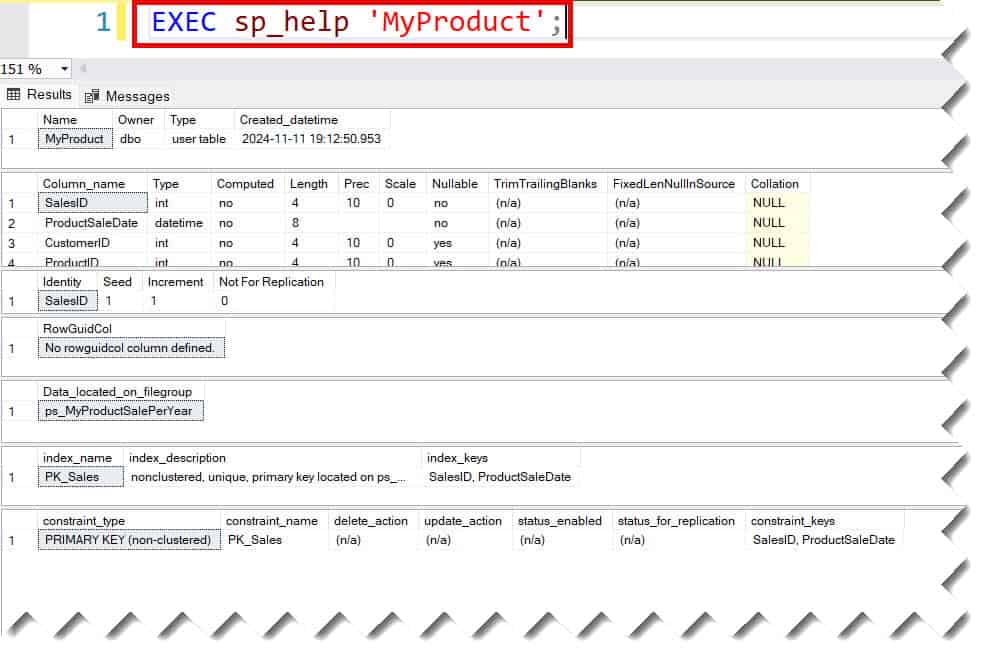
What to Look For
The output will return multiple result sets. Scroll down to the section titled “Index_name”. Look for the index where the description mentions primary key, clustered, located on PRIMARY.
Pros: Fast and requires zero complex coding.
Cons: The output is “messy” for automation and returns a lot of extra info you might not need.
Method 2: The INFORMATION_SCHEMA Approach (The Standard)
If you’re looking for a solution that is semi-portable across different SQL dialects (like moving between SQL Server and PostgreSQL), the INFORMATION_SCHEMA views are your best bet.
I personally prefer this when writing documentation scripts because it’s highly readable.
The Query
To find the primary key for a table—let’s call it Employees—use this script:
SQL
SELECT
    KU.TABLE_NAME,
    KU.COLUMN_NAME,
    KU.CONSTRAINT_NAME
FROM INFORMATION_SCHEMA.TABLE_CONSTRAINTS AS TC
INNER JOIN INFORMATION_SCHEMA.KEY_COLUMN_USAGE AS KU
    ON TC.CONSTRAINT_TYPE = 'PRIMARY KEY'
    AND TC.CONSTRAINT_NAME = KU.CONSTRAINT_NAME
WHERE KU.TABLE_NAME = 'MyProduct';
After executing the above query, I got the expected output as shown in the screenshot below.
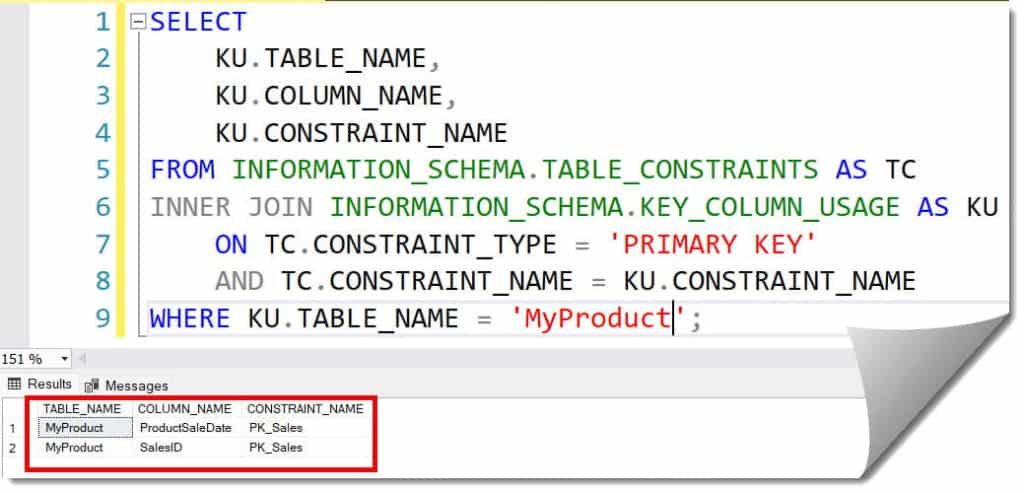
Why This Works
TABLE_CONSTRAINTS: This view filters for the “Primary Key” type.KEY_COLUMN_USAGE: This tells us exactly which column is mapped to that constraint.
Method 3: Querying System Catalog Views (The Professional Way)
For my enterprise-grade automation scripts—the kind used by DBA teams in New York or San Francisco—I rely on System Catalog Views. These are the most performant and provide the most detail, such as whether the key is clustered or non-clustered.
The High-Authority Script
This is the snippet I keep in my personal library. It joins sys.indexes, sys.index_columns, and sys.columns to give you a definitive answer.
SQL
SELECT
    i.name AS PK_Name,
    c.name AS Column_Name,
    i.type_desc AS Index_Type
FROM sys.indexes AS i
INNER JOIN sys.index_columns AS ic
    ON i.object_id = ic.object_id AND i.index_id = ic.index_id
INNER JOIN sys.columns AS c
    ON ic.object_id = c.object_id AND ic.column_id = c.column_id
WHERE i.is_primary_key = 1
  AND i.object_id = OBJECT_ID('MyProduct');
After executing the above query, I got the expected output as shown in the screenshot below.
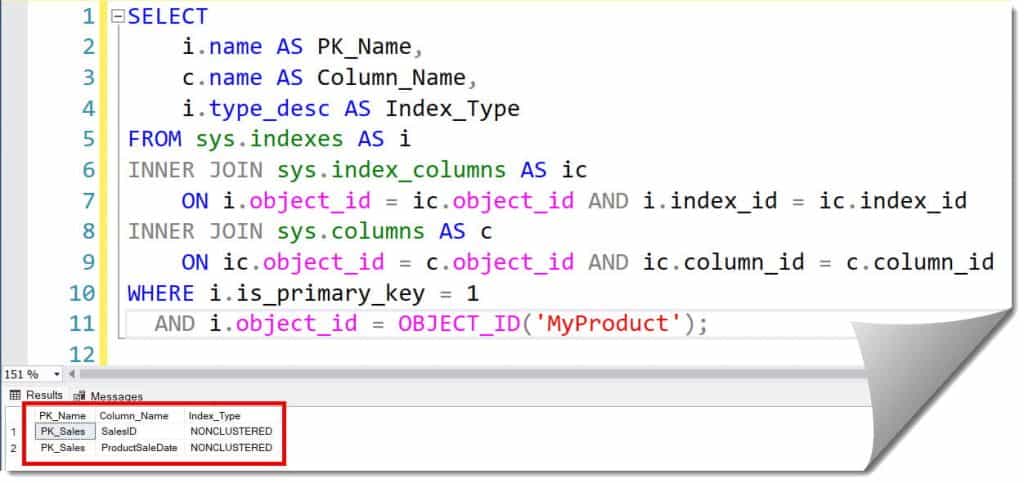
| Column | Description |
| PK_Name | The actual name of the constraint (e.g., PK_ProductID). |
| Column_Name | The specific column(s) making up the key. |
| Index_Type | Shows if it is CLUSTERED or NONCLUSTERED. |
Method 4: Using OBJECTPROPERTY (The Developer’s Shortcut
If you only need to know if a table has a primary key or the name of that key for a specific table ID, SQL Server provides metadata functions that are incredibly efficient.
SQL
SELECT OBJECT_NAME(object_id) AS TableName, name AS PKName
FROM sys.objects
WHERE type = 'PK'
AND parent_object_id = OBJECT_ID('MyProduct');
After executing the above query, I got the expected output as shown in the screenshot below.
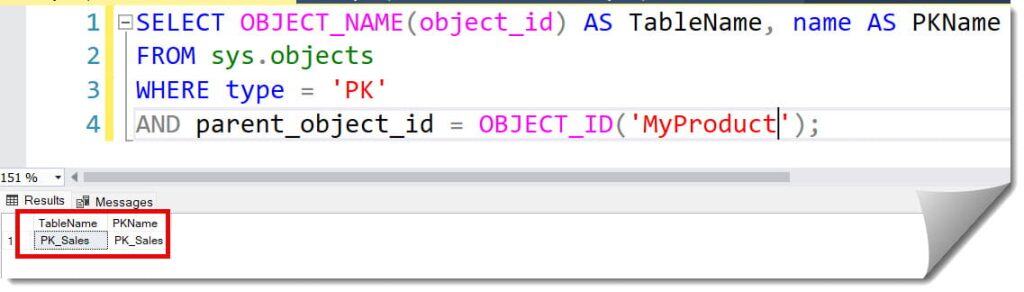
Advanced Scenario: Handling Composite Primary Keys
In many US-based manufacturing or logistics databases, you’ll encounter Composite Primary Keys—where two or more columns work together to create uniqueness (e.g., OrderID + LineItemID).
When using the scripts above, a composite key will return multiple rows—one for each column in the key. When I’m designing systems, I always remind my junior devs to check for this. If you only look at the first row, you might miss half the key!
Summary of Discovery Methods
| Method | Best For | Level of Detail |
| sp_help | Quick manual checks | High (includes all table info) |
| Information Schema | Standard-compliant scripting | Medium |
| System Catalog Views | High-performance automation | Very High |
| SSMS GUI | Beginners / Visual learners | Visual |
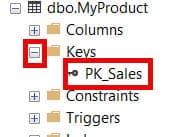
Finding Primary Keys via SQL Server Management Studio (SSMS)
Many folks prefer the graphical user interface. If you’re working within SSMS:
- Open Object Explorer.
- Expand the Databases node.
- Navigate to your specific database (e.g.,
Texas_Sales_DB). - Expand Tables -> Your Table Name -> Keys.
- The Primary Key will be listed there, usually with a small gold key icon. Check out the screenshot below for your reference.
Best Practices for Primary Keys in SQL Server
- Keep it Static: A primary key should never change. If you’re using a
Social Security Numberor anEmail Address, stop. Use a surrogate key (like anIDENTITYcolumn) instead. - Keep it Slim: Use integer-based keys where possible.
INT(4 bytes) orBIGINT(8 bytes) are much faster thanGUIDsorStrings. - Always Exist: Every table in a relational database should have a primary key. Without one, you have a “Heap,” which can lead to massive performance degradation as your data grows.
Conclusion
Identifying the primary key is the first step in mastering any SQL Server environment. Whether you use the portable INFORMATION_SCHEMA or the powerful sys.indexes views, you now have the tools to audit any database.
You may also like the following articles:
- SQL Server Create Table With Primary Key
- SQL Server Add Primary Key To Existing Table
- SQL Server Create Table With Primary Key
- Drop All Constraints On A Table SQL Server

After working for more than 15 years in the Software field, especially in Microsoft technologies, I have decided to share my expert knowledge of SQL Server. Check out all the SQL Server and related database tutorials I have shared here. Most of the readers are from countries like the United States of America, the United Kingdom, New Zealand, Australia, Canada, etc. I am also a Microsoft MVP. Check out more here.