
I have a table that stores employee salaries as VARCHAR instead of a numeric data type. Recently, while trying to run a SELECT query, I got the error ” Error converting data type VARCHAR to numeric. Let us discuss the complete steps to replicate this issue and how to fix the same issue.
Error converting data type varchar to numeric.
Steps to replicate this issue.
Step 1: Create a Table
CREATE TABLE EmployeesSSG
(
    EmployeeID INT PRIMARY KEY,
    EmployeeName VARCHAR(100),
    Salary VARCHAR(20)
);
GO
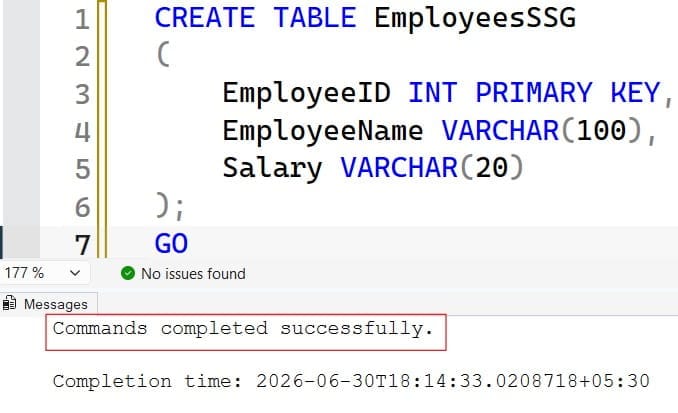
After executing the above query, the table was created successfully. Check out the screenshot below for your reference.
Step 2: Insert Sample Data
Notice one row contains text instead of a number.
INSERT INTO EmployeesSSG
VALUES
(1,'John','50000'),
(2,'David','65000'),
(3,'James','ABC'),
(4,'Peter','75000');
GO
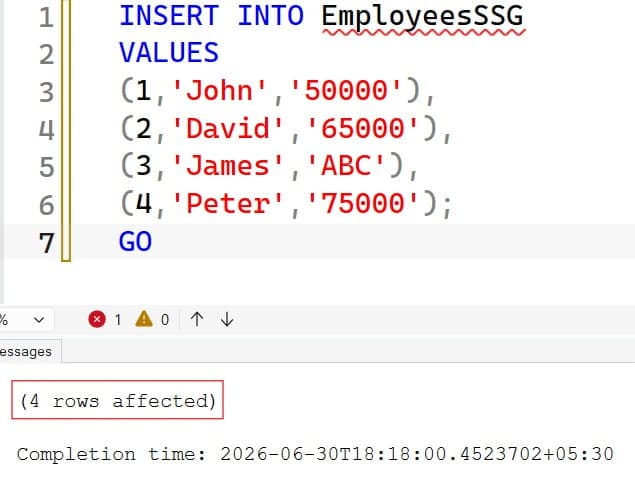
After executing the above query, the data was inserted successfully. Check out the screenshot below for your reference.
Step 4: View the Data
SELECT *
FROM EmployeesSSG;
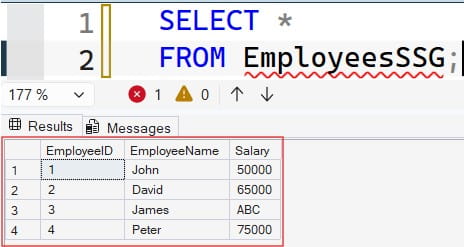
See the data below.
Step 5: Convert VARCHAR to NUMERIC
SELECT
    EmployeeName,
    CAST(Salary AS NUMERIC(10,2)) AS Salary
FROM EmployeesSSG;
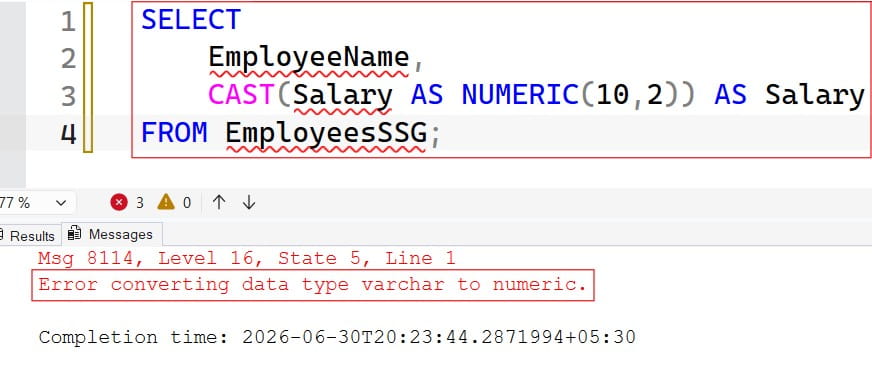
After executing the query above, I received this error. Check out the screenshot below for your reference.
Why Does This Happen?
SQL Server attempts to convert every value in the Salary column into a numeric value. Since ABC is not numeric, SQL Server raises:
50000  ✔

65000  ✔

ABC    ❌

75000  ✔
Solution
Fix 1 (Recommended): Find Invalid Data
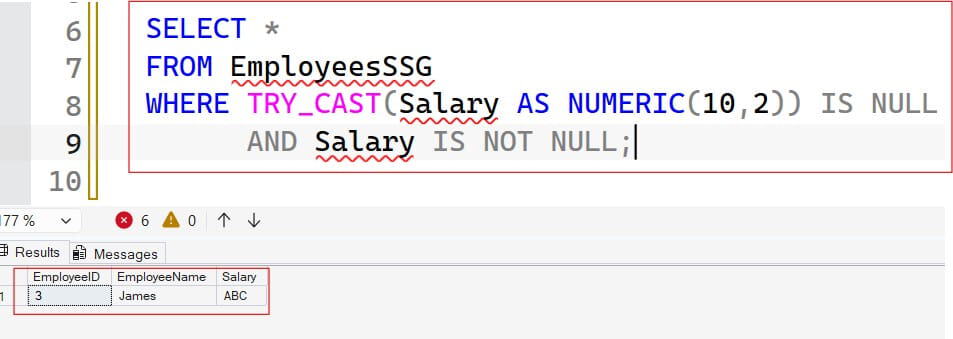
Use TRY_CAST to identify rows that cannot be converted.
SELECT *
FROM EmployeesSSG
WHERE TRY_CAST(Salary AS NUMERIC(10,2)) IS NULL
      AND Salary IS NOT NULL;
After executing the query above, I obtained the expected output shown in the screenshot below.
Fix 2: Correct the Invalid Data
UPDATE EmployeesSSG
SET Salary='70000'
WHERE EmployeeID=3;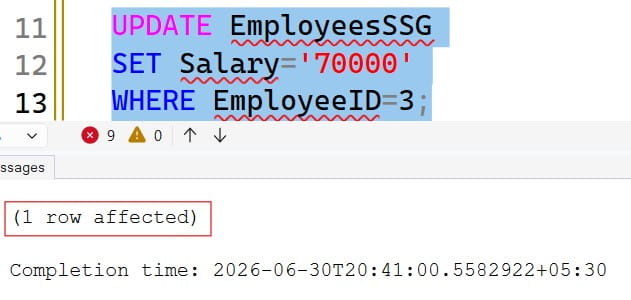
Now run
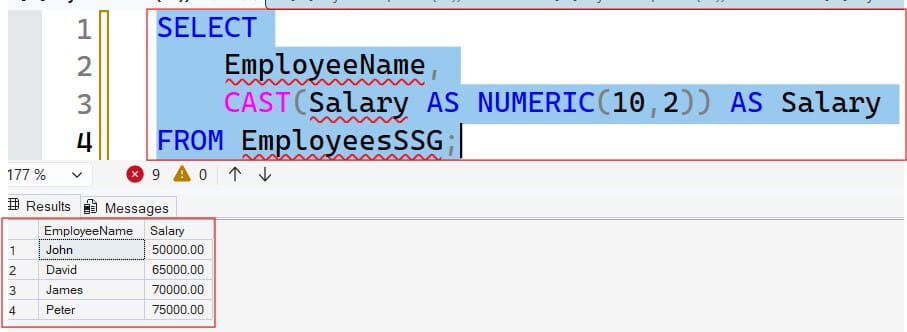
SELECT
    EmployeeName,
    CAST(Salary AS NUMERIC(10,2)) AS Salary
FROM EmployeesSSG;
After executing the query above, I obtained the expected output shown in the screenshot below. No error this time.
Fix 3: Use TRY_CAST
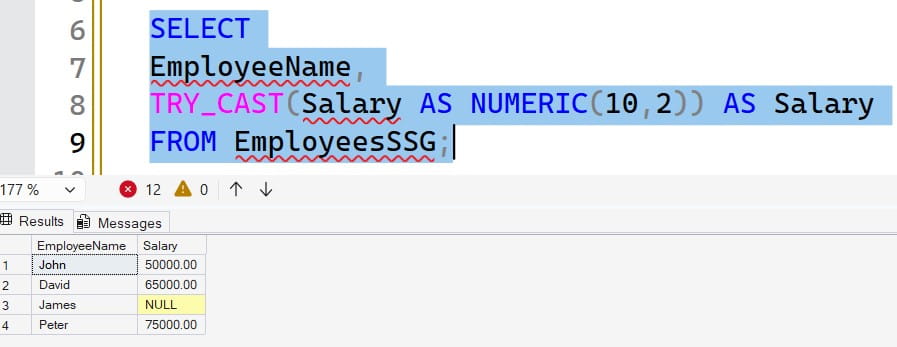
Instead of throwing an error, SQL Server returns NULL.
SELECT
EmployeeName,
TRY_CAST(Salary AS NUMERIC(10,2)) AS Salary
FROM EmployeesSSG;
Check out the screenshot below for your reference.
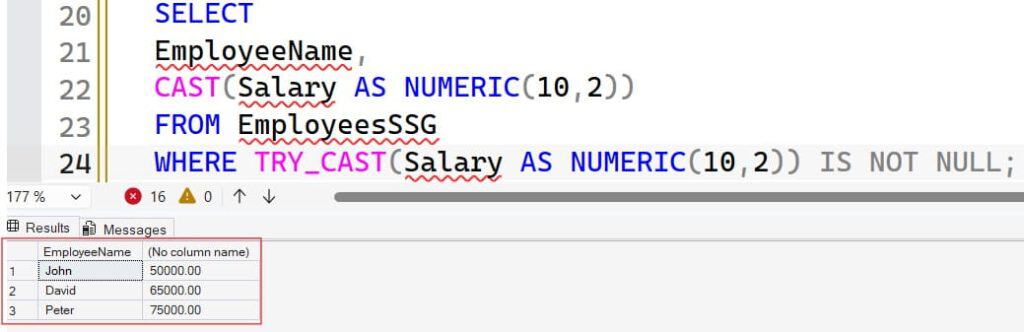
Fix 4: Filter Only Numeric Values
SELECT
EmployeeName,
CAST(Salary AS NUMERIC(10,2))
FROM EmployeesSSG
WHERE TRY_CAST(Salary AS NUMERIC(10,2)) IS NOT NULL;
Got the expected output. Check out the screenshot below for your reference.
Best Practice
Avoid storing numeric values in VARCHAR columns. Define the column with an appropriate numeric data type from the beginning:
CREATE TABLE EmployeesSSG
(
    EmployeeID INT PRIMARY KEY,
    EmployeeName VARCHAR(100),
    Salary DECIMAL(10,2)
);
This prevents invalid values such as 'ABC' from being stored, eliminating conversion errors during queries.
Video Tutorial
Conclusion
The “Error converting data type varchar to numeric” occurs when SQL Server attempts to convert a VARCHAR value into a numeric data type, but one or more values contain non-numeric characters or an invalid numeric format. This is a common issue when numeric data is stored as text or when input validation is missing.
To resolve this error, identify the invalid values using functions such as TRY_CAST() or TRY_CONVERT(), correct or remove the problematic data, and ensure that columns storing numeric values use appropriate data types like INT, DECIMAL, or NUMERIC. Using the correct data types and validating data before inserting it into the database are the most effective ways to prevent this error.
You may also like the following articles:
- SQL Server Error 3414
- SQL Error 1067
- Error 40 Could Not Open Connection to SQL Server
- SQL Server Error 18456

After working for more than 15 years in the Software field, especially in Microsoft technologies, I have decided to share my expert knowledge of SQL Server. Check out all the SQL Server and related database tutorials I have shared here. Most of the readers are from countries like the United States of America, the United Kingdom, New Zealand, Australia, Canada, etc. I am also a Microsoft MVP. Check out more here.