
A customer success team once imported 40,000 contacts from a CRM export. A week later, support noticed that thousands of records greeted customers as “Dear Johnson,” with first and last names reversed. The developer who found it said, “I’ll just copy one column into the other.” He stopped when he realized the first UPDATE would overwrite the data he needed for the second.
That is the classic trap behind how to swap two column values in SQL. In many languages you need a temporary variable. In SQL Server you can often do it with a single statement, if you understand how UPDATE evaluates its values. You also need a safety plan, because a bad swap overwrites data in place. This guide shows the safe one-statement method, previews, rollback options, and what to check in Azure SQL Database or SQL Server before touching production.
Why a Swap Needs a Plan
Suppose you run two separate updates:
UPDATE dbo.Contacts SET FirstName = LastName;  -- dangerous
UPDATE dbo.Contacts SET LastName = FirstName;
After the first statement, FirstName already contains the last name, and the original first name is gone. The second statement copies the same value back. Both columns now hold the last name. This is permanent data loss unless you have a backup.
SQL Server avoids this problem when you do both assignments in one UPDATE. The reason is a behavior often called all-at-once evaluation: every expression on the right side of SET reads the row’s original values, before any column is changed. That makes a swap clean and atomic, meaning it either fully happens or does not happen.
Pro Tip: In my experience, the real risk is not the syntax. It is running a swap on the wrong rows. I always build the
WHEREclause first, preview it withSELECT, and only then convert it toUPDATE.
Create a Practice Table
Work in a test database first. This example models the contact import problem. A schema is the structure of your tables, and a batch here means a group of rows loaded together.
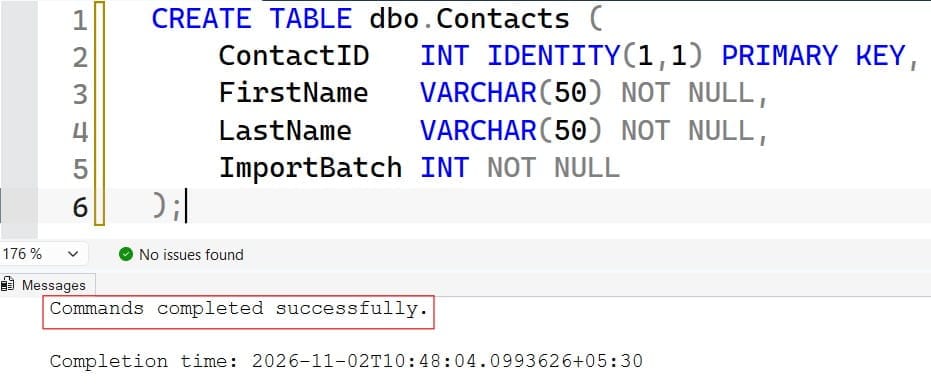
CREATE TABLE dbo.Contacts (
    ContactID   INT IDENTITY(1,1) PRIMARY KEY,
    FirstName   VARCHAR(50) NOT NULL,
    LastName    VARCHAR(50) NOT NULL,
    ImportBatch INT NOT NULL
);

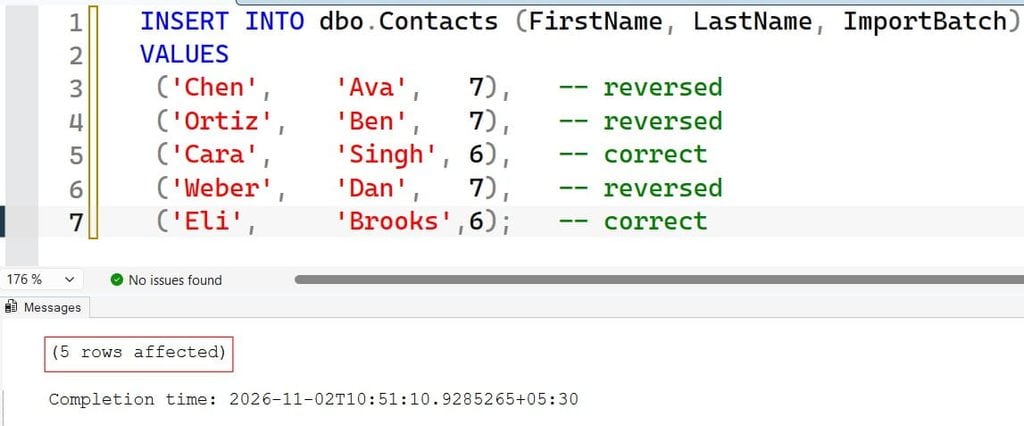
INSERT INTO dbo.Contacts (FirstName, LastName, ImportBatch)
VALUES
 ('Chen',    'Ava',   7),   -- reversed
 ('Ortiz',   'Ben',   7),   -- reversed
 ('Cara',    'Singh', 6),   -- correct
 ('Weber',   'Dan',   7),   -- reversed
 ('Eli',     'Brooks',6);   -- correct
Batch 7 contains the reversed names. Batches 6 and below are correct, which is why the filter matters. If you need a refresher on creating tables, see how to create a table in SSMS using a query.
After running the query above, I got the expected output shown in the screenshot below.
How to Swap Two Column Values in SQL with One UPDATE
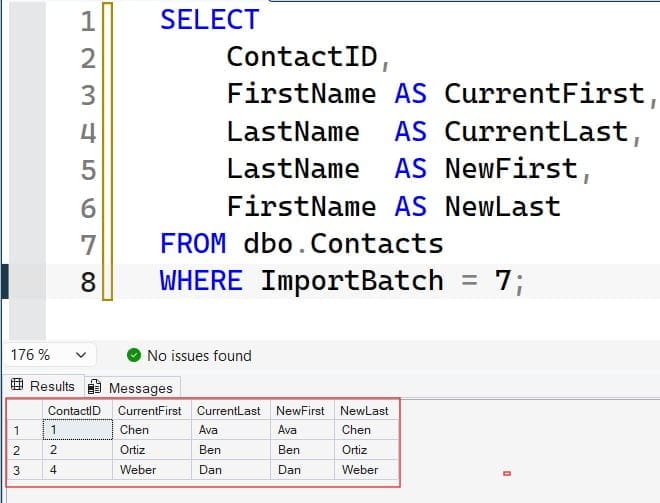
Preview first. A SELECT costs nothing and changes nothing.
SELECT
    ContactID,
    FirstName AS CurrentFirst,
    LastName  AS CurrentLast,
    LastName  AS NewFirst,
    FirstName AS NewLast
FROM dbo.Contacts
WHERE ImportBatch = 7;
This shows what the data looks like now and what it will look like after the swap. Check a handful of rows by eye. Then run the update. Warning: this statement overwrites data.
After running the query above, I got the expected output shown in the screenshot below.
BEGIN TRANSACTION;

UPDATE dbo.Contacts
SET FirstName = LastName,
    LastName  = FirstName
WHERE ImportBatch = 7;

SELECT @@ROWCOUNT AS RowsSwapped;
Here is what each part does:
BEGIN TRANSACTIONstarts a transaction, a unit of work you can undo until you commit.- The
SETlist assigns each column the other’s original value. SQL Server evaluates both right-hand sides before writing. WHERE ImportBatch = 7limits the change to bad rows. Learn more in the WHERE clause tutorial.@@ROWCOUNTreturns how many rows the previous statement changed. Compare it with the count from your preview.
After running the query above, I got the expected output shown in the screenshot below.
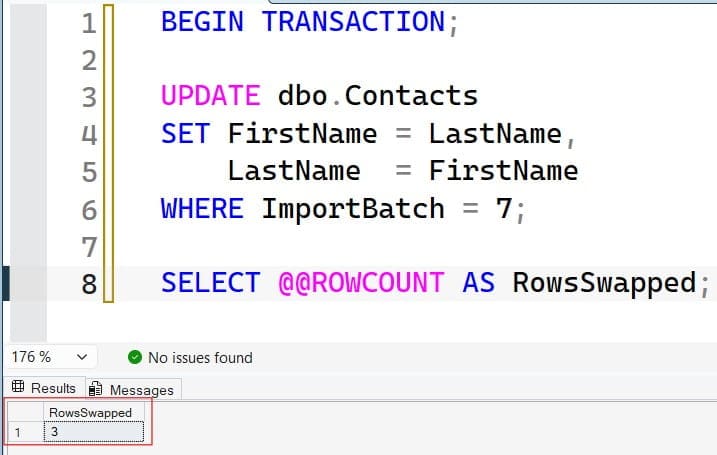
If the count and sample rows look right, run COMMIT TRANSACTION;. If anything looks wrong, run ROLLBACK TRANSACTION; and the table returns to its previous state.
Leave the transaction open only briefly. An open transaction holds locks, which are protections that stop other sessions from changing the same rows. A long-running transaction can cause blocking, where other queries wait for your locks to be released.
Pro Tip: I once watched a developer leave a transaction open over lunch in SSMS. Every report that touched the table hung. I now run
BEGIN TRANSACTION, check the row count, and commit or roll back right away.
Preserve the Old Values Before You Swap
A swap is easy to reverse if you know the original values, and impossible to reverse if you do not. Back up the affected rows first. You can create a copy of the table or just the rows you plan to change. See table backup in SQL Server and copying a table to another table.
SELECT ContactID, FirstName, LastName, ImportBatch
INTO dbo.Contacts_Backup_20261102
FROM dbo.Contacts
WHERE ImportBatch = 7;
After running the query above, I got the expected output shown in the screenshot below.
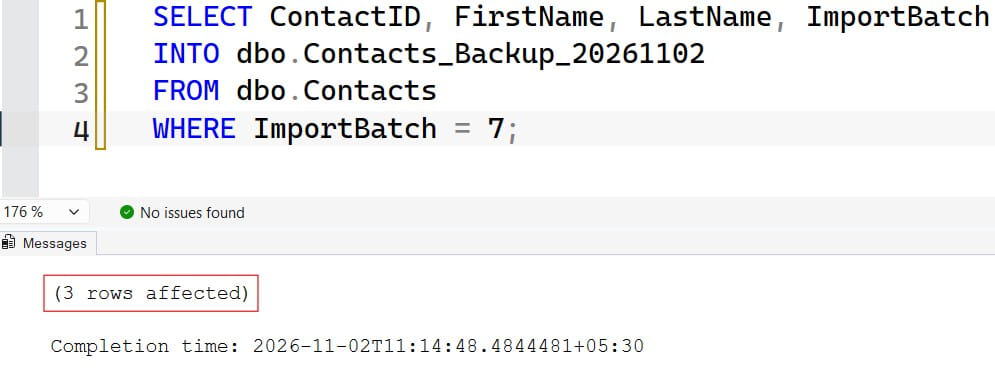
SELECT ... INTO creates a new table and copies the rows. It is a quick safety copy, though it does not copy indexes or constraints.
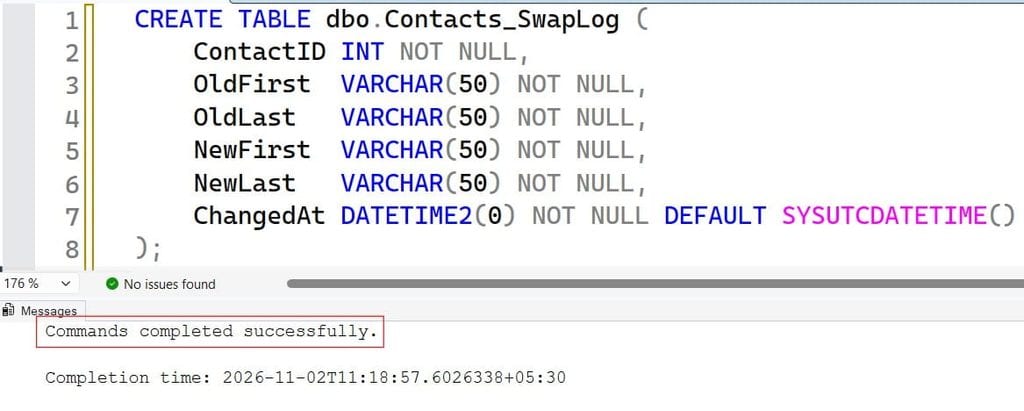
You can also record changes as they happen using the OUTPUT clause, which returns the old and new values from the same UPDATE.
CREATE TABLE dbo.Contacts_SwapLog (
    ContactID INT NOT NULL,
    OldFirst  VARCHAR(50) NOT NULL,
    OldLast   VARCHAR(50) NOT NULL,
    NewFirst  VARCHAR(50) NOT NULL,
    NewLast   VARCHAR(50) NOT NULL,
    ChangedAt DATETIME2(0) NOT NULL DEFAULT SYSUTCDATETIME()
);

UPDATE dbo.Contacts
SET FirstName = LastName,
    LastName  = FirstName
OUTPUT inserted.ContactID,
       deleted.FirstName, deleted.LastName,
       inserted.FirstName, inserted.LastName
INTO dbo.Contacts_SwapLog (ContactID, OldFirst, OldLast, NewFirst, NewLast)
WHERE ImportBatch = 7;
After running the query above, I got the expected output shown in the screenshot below.
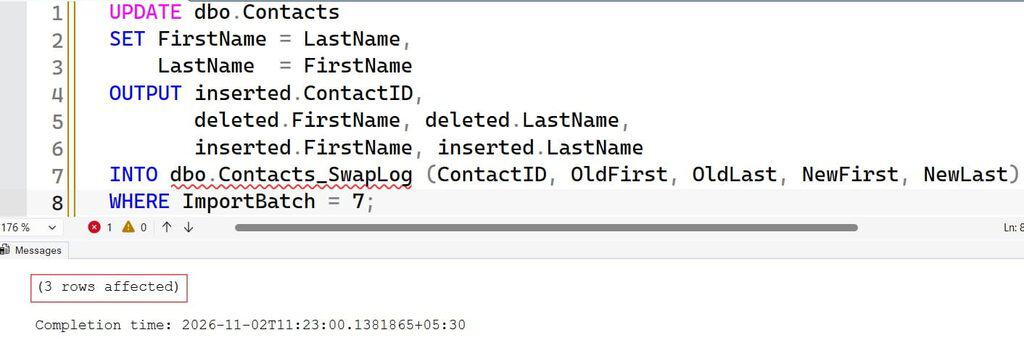
In OUTPUT, deleted holds the row values before the change and inserted holds them after. This gives you an audit trail with no extra queries. If someone later asks what changed, you have the answer.
Pro Tip: In my experience, an
OUTPUT ... INTOlog table takes two minutes to write and has saved me hours. It also gives auditors a clear record of who changed what and when.
Swap Columns With Different Data Types or Constraints
The one-statement swap is simple when both columns are the same type. Real tables are messier.
Mismatched Data Types
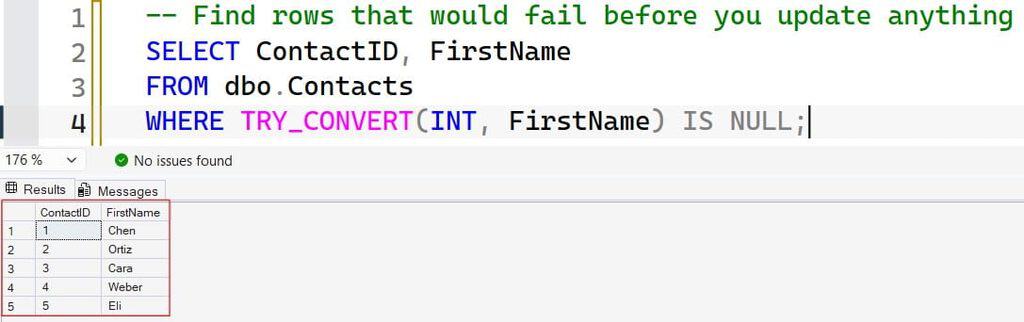
If one column is INT and the other is VARCHAR, SQL Server must convert values. Conversion can fail on non-numeric text. Use explicit conversion and test it before updating. See the CAST function and TRY_CONVERT, which returns NULL instead of an error. If you hit a failure, read about the varchar to numeric conversion error.
-- Find rows that would fail before you update anything
SELECT ContactID, FirstName
FROM dbo.Contacts
WHERE TRY_CONVERT(INT, FirstName) IS NULL;
After running the query above, I got the expected output shown in the screenshot below.
Different Lengths
If one column is VARCHAR(20) and the other is VARCHAR(100), moving a long value into the short column fails. SQL Server raises a truncation error; see string or binary data would be truncated. Check the longest value first with MAX(LEN(column)).
NOT NULL and CHECK Constraints
A constraint is a rule that SQL Server enforces on data. If one column allows NULL and the other does not, swapping a NULL into the NOT NULL column fails. A CHECK constraint can also block a swap. For example, a shipment table might require DeliveryDate >= PickupDate. If the dates were reversed by mistake, swapping them fixes the data, but swapping correct rows would break the rule. Read more in SQL constraints.
Triggers
A trigger is code that runs automatically when data changes. An update trigger will fire during your swap and may write audit rows, send events, or block the change. Know what exists before you update. Review triggers in SQL Server.
Pro Tip: I always check for triggers and check constraints on the table before a bulk change. Finding out halfway through a production update is a bad time to learn that a trigger sends an email per row.
Conditional Swaps and Large Tables
Sometimes you only want to swap when a rule is true. For example, swap only when the “first name” looks like it belongs in the last name column. Use CASE, which returns different values depending on conditions. See the CASE statement.
UPDATE dbo.Contacts
SET FirstName = CASE WHEN ImportBatch = 7 THEN LastName  ELSE FirstName END,
    LastName  = CASE WHEN ImportBatch = 7 THEN FirstName ELSE LastName  END;
After running the query above, I got the expected output shown in the screenshot below.
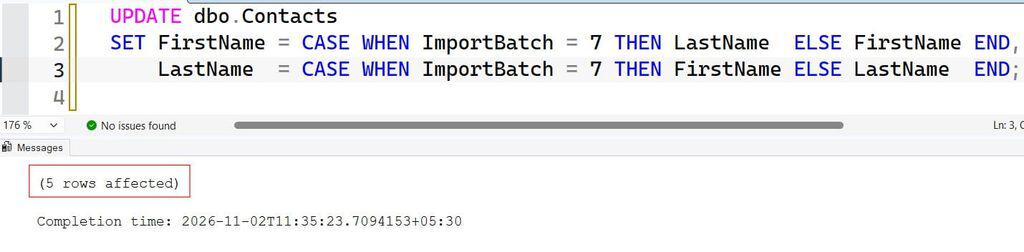
Both CASE expressions use the original row values, so the swap still works. The ELSE branches keep other rows unchanged. A WHERE clause is usually better, though, because it avoids touching rows you do not need to change. Every touched row writes to the transaction log, the file that records changes so SQL Server can recover and roll back.
Update in Batches
For millions of rows, one giant update can fill the log, hold locks for a long time, and block users. Update in batches instead. You can control the loop with a WHILE statement; see WHILE loops in a stored procedure.
DECLARE @BatchSize INT = 5000;
DECLARE @Rows INT = 1;

WHILE @Rows > 0
BEGIN
    UPDATE TOP (@BatchSize) dbo.Contacts
    SET FirstName = LastName,
        LastName  = FirstName,
        ImportBatch = -7          -- marks the row as fixed
    WHERE ImportBatch = 7;

    SET @Rows = @@ROWCOUNT;
END;
After running the query above, I got the expected output shown in the screenshot below.
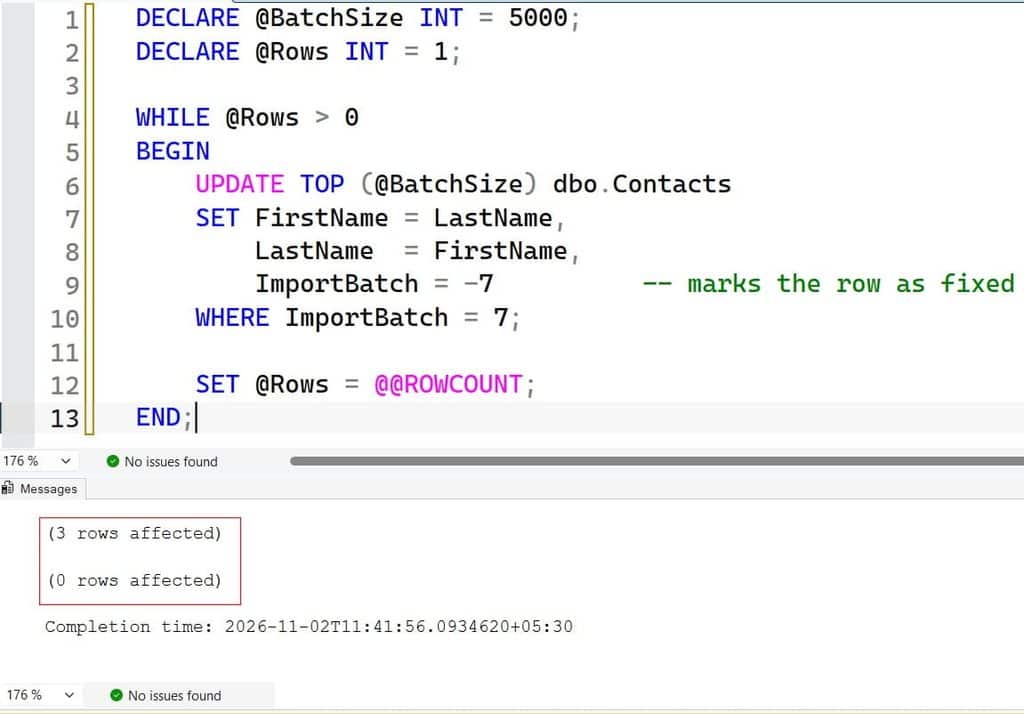
This is an important design point. A swap is not idempotent, meaning running it twice returns the data to the original wrong state. Here, the batch marker changes from 7 to -7 as each row is fixed, so the loop never picks the same row twice. Without a marker, a retry could swap rows back. After the loop, update the marker to its final value if needed.
Pro Tip: In my experience, a swap without a “fixed” flag is a bug waiting for a retry. I either use a marker column like this or wrap everything in one transaction that I can cleanly roll back.
Swap Values Between Two Tables or Rows
Sometimes the values you need to swap live in different places. If the correct values are in another table, use an update with a join. See updating a table from another table. For loading corrected data into a staging copy first, see INSERT INTO … SELECT and creating a temp table from a SELECT.
If the goal is to swap the column names instead of the values, that is a metadata change. You can rename columns, but it breaks code, views, and reports that use the old names. Review how to rename a column in SQL Server before trying that on a shared system. For large tables, a name swap is fast because it changes no data, but it is riskier for applications. Check dependencies first.
Pro Tip: I avoid renaming columns in a shared database unless I have a list of every query and report that uses them. Swapping data is reversible with a backup. A silent app break is much harder to trace.
Frequently Asked Questions
How do I swap two column values in SQL Server?
Use one UPDATE with both assignments, such as SET A = B, B = A. SQL Server reads the original row values for both, so no temporary column is needed. Preview with SELECT and use a WHERE clause.
Can I swap columns without a temporary variable?
Yes, in SQL Server a single UPDATE handles it. Some other database systems evaluate assignments differently, so test on sample data if you use another platform.
How do I swap two columns with different data types?
Convert explicitly with CAST or TRY_CONVERT and test for failures first. Also compare column lengths and nullability, because truncation and NULL violations are common errors.
Can I undo a column swap?
Yes, if you saved the original data, used a transaction that you can roll back, or have a backup. Azure SQL Database also supports point-in-time restore within your retention period.
Is swapping column names the same as swapping values?
No. Renaming changes metadata only and can break queries, views, and apps that use the old names. Swapping values changes the data in each row.
You learned how to swap two column values in SQL Server with a single UPDATE, why it avoids data loss, and how to preview, log, batch, and recover from the change. Before any swap on real data, save the original values and confirm you can restore them. I hope you found this article helpful.
You May Also Like
- How to alter a table in SQL Server
- How to combine two columns in SQL
- How to change a column to NOT NULL in SQL Server
- How to check if a column exists in SQL Server
- How to find a table with a column name in SQL Server

After working for more than 15 years in the Software field, especially in Microsoft technologies, I have decided to share my expert knowledge of SQL Server. Check out all the SQL Server and related database tutorials I have shared here. Most of the readers are from countries like the United States of America, the United Kingdom, New Zealand, Australia, Canada, etc. I am also a Microsoft MVP. Check out more here.