
A small e-commerce team once asked me why two customers had received the same order number on Black Friday. The app read MAX(OrderNumber), added 1, and inserted the row. Under light traffic it worked for months. Under load, two sessions read the same maximum at the same moment and both wrote the same “next” number.
That bug is why choosing how to generate sequence number in SQL Server matters more than it looks. SQL Server gives you four solid options: IDENTITY columns, SEQUENCE objects, ROW_NUMBER() for query results, and a counter table for business-specific numbering. Each fits a different job. This guide shows them with T-SQL, explains gaps and concurrency, and covers permissions and testing in SQL Server and Azure SQL Database, so you can pick the right tool and avoid the Black Friday bug.
Choose the Right Method First
Different needs call for different tools. A sequence number here means an ordered number generated by the database, either stored in a table or created in a query result.
| Need | Best tool | Stored permanently? |
|---|---|---|
| Unique row ID in one table | IDENTITY | Yes |
| One number series shared by several tables, or numbers created before insert | SEQUENCE | Yes |
| Numbering rows in a report or query | ROW_NUMBER() | No |
| Gap-free or per-tenant numbers, such as invoices | Counter table | Yes |
| A list of numbers, such as 1 to 1000 | GENERATE_SERIES | No |
Start with the first question: does the number need to be stored, or only displayed? A stored number needs IDENTITY, SEQUENCE, or a counter table. A displayed number almost always needs ROW_NUMBER().
Pro Tip: In my experience, most sequence problems come from using a stored-number tool for a display-number job, or the reverse. I write one sentence first: “This number must be .” Unique, ordered, gap-free, or per-customer. The answer picks the tool.
Method 1: Use IDENTITY for Automatic Row IDs
An identity column is a column where SQL Server generates the next value automatically for each new row. It is the simplest and most common choice. If you need a refresher, see how to create an identity column in SQL Server and creating a table with an identity column.
CREATE TABLE dbo.Orders (
    OrderID     INT IDENTITY(1,1) PRIMARY KEY,
    CustomerID  INT NOT NULL,
    OrderDate   DATETIME2(0) NOT NULL DEFAULT SYSUTCDATETIME()
);

INSERT INTO dbo.Orders (CustomerID) VALUES (101), (102), (103);
After running the query above, I got the expected output shown in the screenshot below.
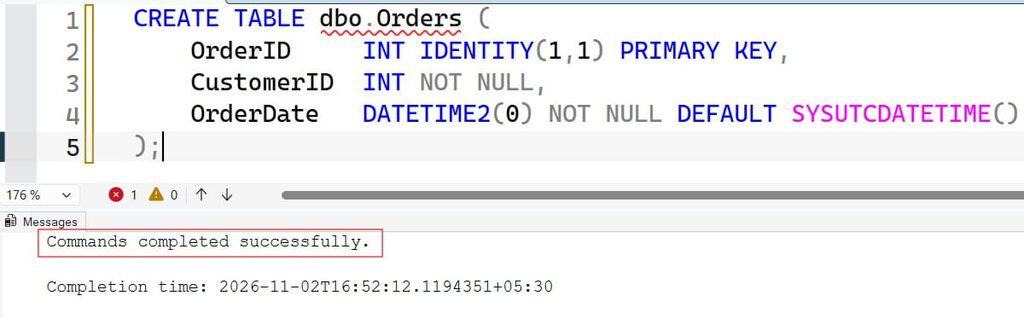

IDENTITY(1,1) means the first value is 1 and each new row adds 1. You do not insert a value for OrderID; SQL Server supplies it. The primary key makes the column unique and creates a clustered index by default, which is the sorted structure that stores the table’s rows. New identity values are always increasing, so inserts append to the end of the index, which keeps page splits low.
To get the value that was just created in your session, use SCOPE_IDENTITY():
INSERT INTO dbo.Orders (CustomerID) VALUES (104);
SELECT SCOPE_IDENTITY() AS NewOrderID;
After running the query above, I got the expected output shown in the screenshot below.
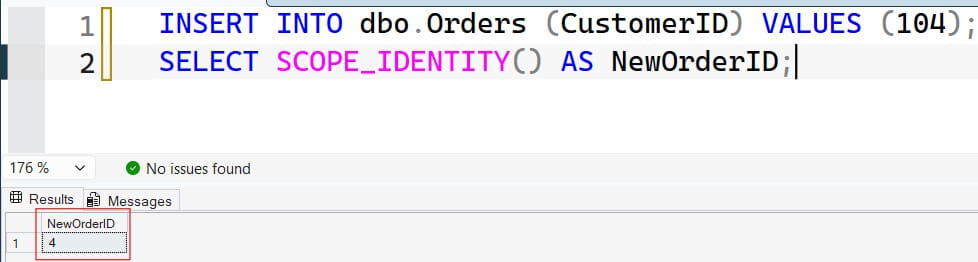
Prefer SCOPE_IDENTITY() over @@IDENTITY, because @@IDENTITY can return a value generated by a trigger on another table. Read more in SCOPE_IDENTITY in SQL Server.
Identity Gaps Are Normal
Identity values are not gap-free. A rolled-back transaction still consumes a value. A failed insert consumes one too. After some unexpected restarts, SQL Server can skip a block of values because it caches identity numbers in memory. Treat identity as “unique and increasing,” not “consecutive.”
If you absolutely need to insert your own value, such as during a data migration, you must turn on IDENTITY_INSERT for that table; see SET IDENTITY_INSERT. If you forget, you get the error described in cannot insert explicit value for identity column. To reset the counter, see how to reset an identity column.
Warning: reseeding to a value that already exists can cause primary key violations later.
Pro Tip: I once saw a developer reseed an identity to 0 on a table that still had rows. Everything worked until the counter reached an existing ID, then inserts started failing at random. I now only reseed after confirming the table is empty or the new seed is above the maximum.
Method 2: Use a SEQUENCE Object for Shared or Pre-Generated Numbers
A sequence is a database object, separate from any table, that hands out numbers. Use it when several tables need numbers from one series, when the app needs the number before inserting, or when you want a number on a column that cannot be an identity.
Sequences are supported in SQL Server 2012 and later, and in Azure SQL Database and Azure SQL Managed Instance.
CREATE SEQUENCE dbo.OrderNumberSeq
    AS BIGINT
    START WITH 100000
    INCREMENT BY 1
    MINVALUE 100000
    NO CYCLE
    CACHE 50;
After running the query above, I got the expected output shown in the screenshot below.
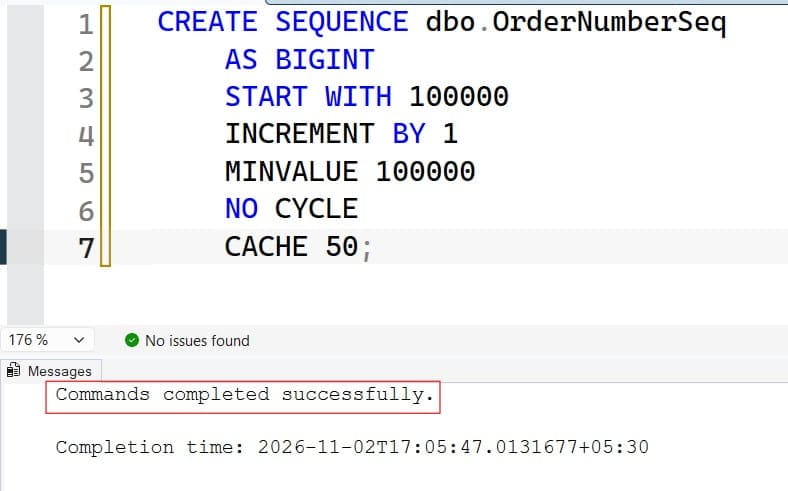
This creates a sequence of BIGINT values starting at 100000. NO CYCLE means SQL Server raises an error at the maximum value instead of starting over, which prevents silent duplicates. CACHE 50 keeps 50 values in memory so SQL Server does not write to disk for every number.
The trade-off is that a crash or restart can skip up to the cached amount. If you need fewer gaps, use NO CACHE, at some cost in speed.
Attach it to a column with a default constraint:
ALTER TABLE dbo.Orders
ADD OrderNumber BIGINT NOT NULL
    CONSTRAINT DF_Orders_OrderNumber
    DEFAULT (NEXT VALUE FOR dbo.OrderNumberSeq),
    CONSTRAINT UQ_Orders_OrderNumber UNIQUE (OrderNumber);
After running the query above, I got the expected output shown in the screenshot below.
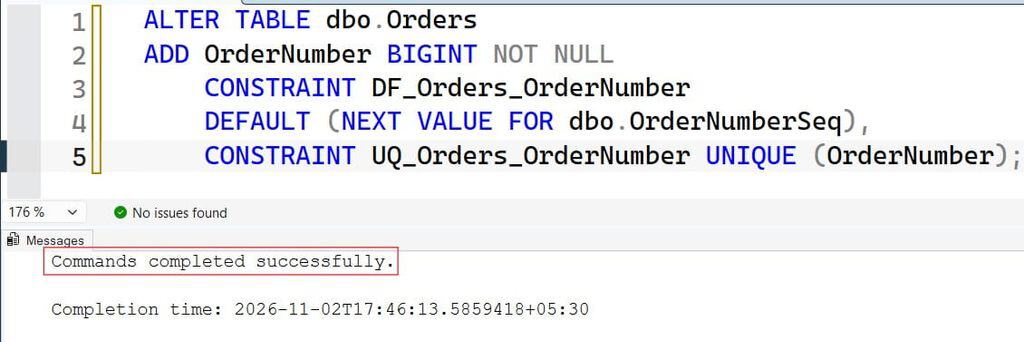
NEXT VALUE FOR pulls the next number. The UNIQUE constraint is important: a sequence does not enforce uniqueness by itself, because someone can still insert a manual value. The constraint closes that hole. Note that adding a NOT NULL column with a default to a large table can take time and locks, so test it first.
You can also request a number manually:
DECLARE @n BIGINT = NEXT VALUE FOR dbo.OrderNumberSeq;
SELECT @n AS ReservedNumber;
After running the query above, I got the expected output shown in the screenshot below.

This is useful when the app must show or log the number before the row is saved. Be aware that if the transaction later fails, that number is used up. Sequences, like identity, can have gaps.
For bulk loads, reserve a block at once with sp_sequence_get_range, which returns a start and end for the block. That is much faster than asking one row at a time.
IDENTITY vs. SEQUENCE
| Question | IDENTITY | SEQUENCE |
|---|---|---|
| Tied to one table | Yes | No |
| Get the number before insert | Not directly | Yes |
| Shared across tables | No | Yes |
Can be changed with ALTER | Limited | Yes (ALTER SEQUENCE) |
| Simplicity | Higher | Lower |
Pro Tip: In my experience, teams reach for sequences too early. I use
IDENTITYby default and switch to a sequence only when I need a shared series or the number before the insert.
Method 3: Use ROW_NUMBER() to Number Query Results
Sometimes you only need numbering in a result, such as a ranked leaderboard or a paged list. ROW_NUMBER() is a window function, a function that calculates across a set of rows without collapsing them. See ROW_NUMBER in SQL Server and the OVER clause.
SELECT
    ROW_NUMBER() OVER (ORDER BY OrderDate, OrderID) AS RowNum,
    OrderID,
    CustomerID,
    OrderDate
FROM dbo.Orders;
After running the query above, I got the expected output shown in the screenshot below.
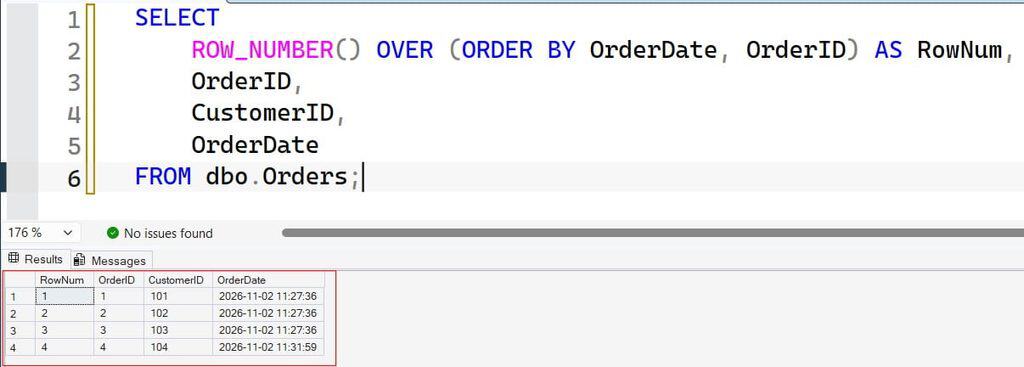
The ORDER BY inside OVER sets the numbering order. Always add a tie-breaker, such as OrderID, so the numbers are stable when two rows share a date.
To restart the numbering for each customer, add PARTITION BY; see PARTITION BY.
SELECT
    CustomerID,
    OrderID,
    ROW_NUMBER() OVER (
        PARTITION BY CustomerID
        ORDER BY OrderDate, OrderID) AS CustomerOrderNo
FROM dbo.Orders;
After running the query above, I got the expected output shown in the screenshot below.
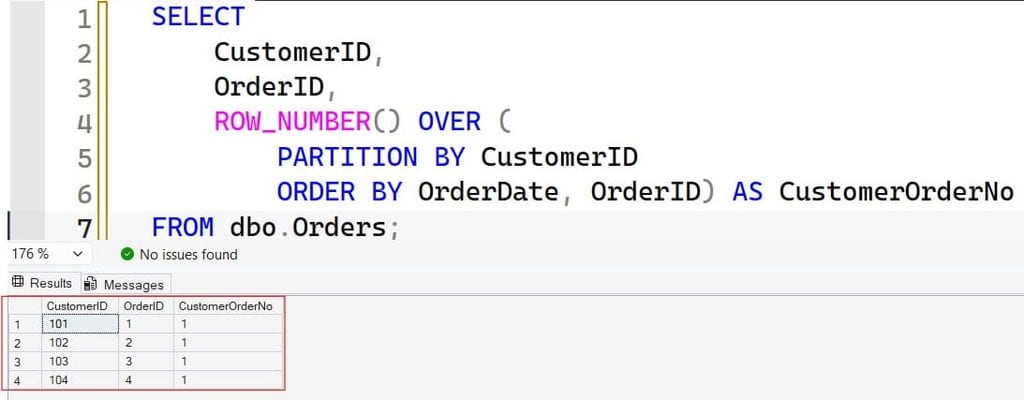
Each customer’s orders are numbered 1, 2, 3, and so on. The number exists only in the result. If you save it into a table, it will not update when rows are added or deleted.
A common use is deduplication and “latest row” queries, where ROW_NUMBER() = 1 picks one row per group. It is also faster than old tricks that used a self join or correlated subquery.
Pro Tip: In my experience, a window function on a large unindexed sort is where reports slow down. Before I tune anything, I check the execution plan for a Sort operator, then consider an index that matches the
PARTITION BYandORDER BYcolumns.
Method 4: Build Business Numbers With a Counter Table
Invoices often need numbers that are consecutive and reset per tenant or per year, such as INV-2026-000124. Identity and sequences allow gaps, and neither restarts per tenant. For gap-free or per-tenant numbers, use a small counter table and update it inside the same transaction as the insert.
CREATE TABLE dbo.InvoiceCounters (
    TenantID   INT NOT NULL,
    YearNo     INT NOT NULL,
    LastNumber INT NOT NULL,
    CONSTRAINT PK_InvoiceCounters PRIMARY KEY (TenantID, YearNo)
);

INSERT INTO dbo.InvoiceCounters VALUES (1, 2026, 0);
After running the query above, I got the expected output shown in the screenshot below.
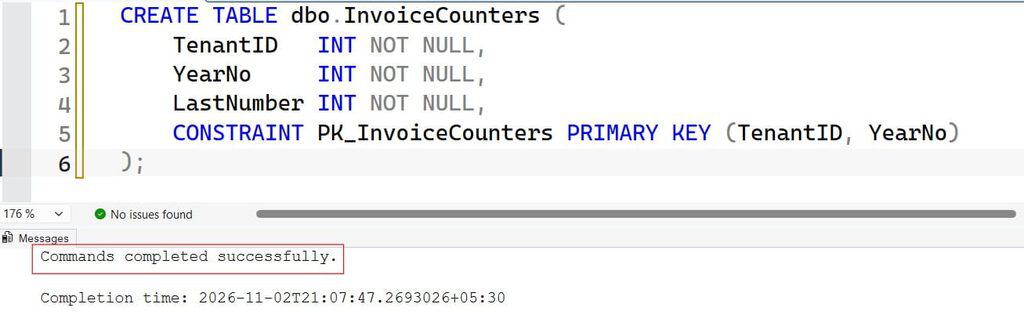
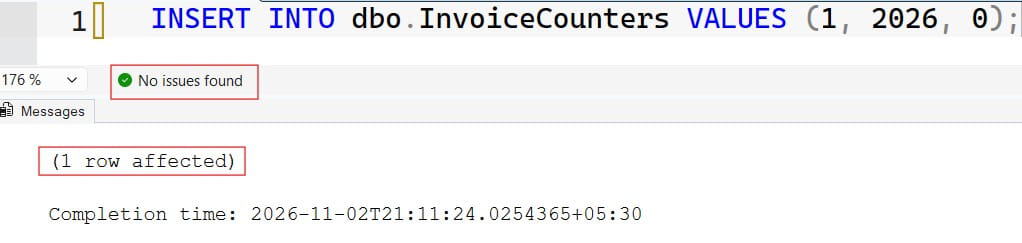
Then increment and read the value in one atomic statement:
DECLARE @TenantID INT = 1, @YearNo INT = 2026, @n INT;

BEGIN TRANSACTION;

UPDATE dbo.InvoiceCounters
SET @n = LastNumber = LastNumber + 1
WHERE TenantID = @TenantID AND YearNo = @YearNo;

SELECT CONCAT('INV-', @YearNo, '-', RIGHT(CONCAT('000000', @n), 6)) AS InvoiceNumber;

COMMIT TRANSACTION;
After running the query above, I got the expected output shown in the screenshot below.
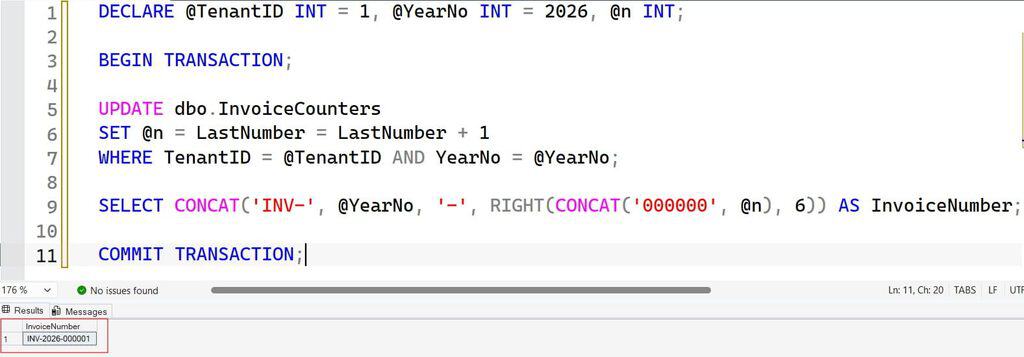
The statement SET @n = LastNumber = LastNumber + 1 updates the row and captures the new value in a single step. SQL Server takes an update lock on that row, so a second session waits until the first transaction commits.
That serialization is what prevents duplicates and gaps. It also means invoice creation for the same tenant is serialized, which is a throughput limit. Keep the transaction short, and put the counter update as late in the transaction as possible.
If the transaction rolls back, the counter update rolls back too, so no number is lost. The RIGHT(CONCAT('000000', @n), 6) expression pads with leading zeros; for other ways, see converting an integer to a string with leading zeros. Wrap this logic in a stored procedure so every app uses the same code; see creating a stored procedure.
Under heavy load, long transactions here can cause blocking, where one session waits on another’s locks, and in the worst case a deadlock, where two sessions wait on each other. Read about deadlock victims and keep the update order consistent in every procedure.
Pro Tip: I once saw an invoice procedure hold the counter lock while it called a slow tax service. Invoice creation backed up for minutes. Now I do slow calls first and update the counter last, right before the commit.
Generate a Simple List of Numbers
To create a list such as 1 to 100, use GENERATE_SERIES, available in SQL Server 2022 and Azure SQL Database.
SELECT value AS Number
FROM GENERATE_SERIES(1, 100);
Add a third argument for the step, as in GENERATE_SERIES(10, 100, 10). For older versions, a recursive CTE works but is slower and limited by MAXRECURSION. Avoid row-by-row loops to build numbers; a set-based approach is almost always faster than a WHILE loop. If you do need a loop, see WHILE loops in stored procedures.
Number lists are handy for date tables and test data. To load them into another table, use INSERT INTO … SELECT.
Never Use MAX + 1
The pattern that broke the Black Friday orders looks like this:
-- Unsafe under concurrency: do not use
DECLARE @next INT = (SELECT MAX(OrderNumber) + 1 FROM dbo.Orders);
INSERT INTO dbo.Orders (OrderNumber, CustomerID) VALUES (@next, 101);
Two sessions can both read the same maximum before either inserts. Locking hints can make it safer, but they add complexity and blocking, and a tool built for the job is simpler. Use IDENTITY, a SEQUENCE, or the counter table. If you want to review how MAX works, see the MAX function.
Frequently Asked Questions
How do I generate a sequence number in SQL Server?
Use an IDENTITY column for automatic row numbers, a SEQUENCE object with NEXT VALUE FOR for shared or pre-assigned numbers, or ROW_NUMBER() to number query results. The best choice depends on whether the number is stored or only displayed.
What is the difference between IDENTITY and SEQUENCE?
IDENTITY belongs to one table and fills in automatically. A SEQUENCE is a separate object that multiple tables can use, and you can fetch its value before inserting. Both can have gaps.
Why does my identity column skip numbers?
Rolled-back transactions and failed inserts consume values, and cached values can be lost after a restart. Identity guarantees uniqueness and increasing order, not consecutive values.
How do I get gap-free invoice numbers in SQL Server?
Use a counter table updated inside the same transaction as the invoice insert, so a rollback also rolls back the number. Keep the transaction short, because this approach serializes writers for the same counter.
How do I restart row numbers for each group?
Use ROW_NUMBER() OVER (PARTITION BY group_column ORDER BY sort_column). Numbering restarts at 1 for each partition and exists only in the query result.
You learned four ways to generate sequence number values in SQL Server: IDENTITY, SEQUENCE, ROW_NUMBER(), and counter tables, and why each behaves differently with gaps and concurrency. Never calculate the next number with MAX + 1; let the database generate it, enforce uniqueness with a constraint, and test parallel inserts before you go live. I hope you found this article helpful.
You May Also Like
- How to insert an identity column in SQL Server
- How to add identity to an existing column in SQL Server
- How to create a table with a primary key in SQL Server
- How to add a primary key to an existing table
- How to truncate a table in SQL Server

After working for more than 15 years in the Software field, especially in Microsoft technologies, I have decided to share my expert knowledge of SQL Server. Check out all the SQL Server and related database tutorials I have shared here. Most of the readers are from countries like the United States of America, the United Kingdom, New Zealand, Australia, Canada, etc. I am also a Microsoft MVP. Check out more here.